Touch Typing Mastery: Build Speed, Accuracy and Keyboard Confidence

- Lifetime Access
- All Levels
- PDF Certificate
Learn with Confidence










Overview
Touch Typing Mastery: Build Speed, Accuracy and Keyboard Confidence
Touch Typing Mastery: Build Speed, Accuracy and Keyboard Confidence is a practical online course designed to help learners develop faster, more accurate, and more confident keyboarding skills. Whether you are a complete beginner, a student, a professional, or someone looking to improve everyday computer skills, this course provides a structured approach to learning touch typing without relying on looking down at the keyboard.
Through guided practice and progressive exercises, you will learn how to position your fingers correctly, master essential keyboard rows, improve typing rhythm, reduce errors, and build the confidence needed to type efficiently. The course focuses on practical skill development, helping you turn correct finger placement into a natural and reliable typing habit.
What You Will Learn
The course begins with Introduction to Touch Typing, where you will understand the fundamentals of touch typing, including proper posture, hand positioning, finger placement, keyboard awareness, and the benefits of developing touch-typing skills.
You will then progress to Mastering the Home Row, learning the foundation of touch typing and practising the correct use of the home-row keys. Building a strong foundation at this stage will help you develop consistency and control as you move towards more advanced typing exercises.
In Practising the Upper Row, you will learn how to reach and type the upper-row letters efficiently while maintaining correct finger positioning. You will develop coordination between your fingers and improve your ability to type combinations of letters without constantly looking at the keyboard.
Practising the Lower Row builds on these skills by introducing the lower-row keys and helping you develop smooth finger movement across the entire keyboard. Regular practice will help strengthen muscle memory and make key movements increasingly automatic.
The course also covers Mastering Shift Keys and Capitalisation, helping you use the Shift keys correctly while typing capital letters, names, headings, and other text. You will learn how to maintain typing flow while incorporating capitalisation naturally into your writing.
In Typing Numbers and Special Symbols, you will develop greater confidence when working with numbers, punctuation, and commonly used keyboard symbols. These skills are particularly useful for office work, data entry, online communication, document creation, and other computer-based tasks.
You will then focus on Improving Typing Speed and Accuracy. Rather than simply trying to type as quickly as possible, you will learn how to balance speed with precision. The course encourages effective practice habits that can help reduce mistakes, improve rhythm, and gradually increase your words-per-minute performance.
Developing Advanced Typing Techniques introduces strategies for becoming a more efficient and capable typist. You will work on smoother transitions between keys, improved keyboard awareness, consistent rhythm, and techniques that can support more demanding typing tasks.
Finally, Practising with Real-World Texts gives you the opportunity to apply your skills to realistic typing situations. By working with practical sentences, paragraphs, and everyday text, you can strengthen your accuracy, build confidence, and make your newly developed typing skills more useful in real-world settings.
Who This Course Is For
Touch Typing Mastery: Build Speed, Accuracy and Keyboard Confidence is suitable for:
-
Beginners learning touch typing from scratch
-
Students who want to improve their keyboard skills
-
Office and administrative professionals
-
Remote workers and freelancers
-
Job seekers looking to strengthen their computer skills
-
Data-entry and documentation professionals
-
Anyone who wants to type faster and with fewer mistakes
-
Learners who currently rely on looking at the keyboard while typing
Practical Outcomes
By completing this course, you will be able to:
-
Use proper touch-typing techniques and finger positioning
-
Navigate the keyboard with greater confidence
-
Develop stronger muscle memory for commonly used keys
-
Type letters across the home, upper, and lower rows more efficiently
-
Use Shift keys and capitalisation correctly
-
Type numbers and special symbols with greater control
-
Improve typing accuracy and reduce unnecessary errors
-
Gradually build typing speed through structured practice
-
Develop a smoother and more consistent typing rhythm
-
Apply touch-typing skills to real-world texts and everyday computer tasks
Build a Skill That Supports Everyday Productivity
Typing is a fundamental digital skill used across education, employment, communication, administration, business, and countless online activities. When typing becomes faster and more natural, you can spend less time searching for individual keys and more time focusing on the information you are creating.
Touch Typing Mastery: Build Speed, Accuracy and Keyboard Confidence provides a step-by-step pathway from basic keyboard familiarity to confident, efficient typing. With consistent practice, learners can develop the muscle memory, accuracy, coordination, and confidence needed to make typing a more effortless part of their daily computer use.
Whether your goal is to improve workplace productivity, complete assignments more efficiently, prepare for computer-based roles, or simply become more comfortable using a keyboard, this course gives you the structured practice and practical knowledge needed to move forward.
Course Content
Touch Typing Mastery: Build Speed, Accuracy and Keyboard Confidence
-
Module 1 – Introduction to Touch Typing
00:00 -
Module 2 – Mastering the Home Row
00:00 -
Module 3 – Practising the Upper Row
00:00 -
Module 4 – Practising the Lower Row
00:00 -
Module 5 – Mastering Shift Keys and Capitalisation
00:00 -
Module 6 – Typing Numbers and Special Symbols
00:00 -
Module 7 – Improving Typing Speed and Accuracy
00:00 -
Module 8 – Developing Advanced Typing Techniques
11:26 -
Module 9 – Practising with Real-World Texts
00:00

Hear from Our Successful Learners


The experience has been excellent from the start to the present. The support team is proactive and always helpful with any queries or requests.

I've taken several courses through Reed and have been completely satisfied with each one. The pricing is outstanding.

I've completed numerous courses through Reed and have been fully satisfied with each one. The courses are excellent.

I'm truly impressed by One Education's remarkable ability to understand its learners and go the extra mile for them.

I had been searching for a Level 3 course for a while—it felt like mission impossible. Discovering that Reed offers a wide range of career-focused providers was a pleasant surprise.

The course was incredibly insightful and easy to navigate. I truly enjoyed it—thank you so much.


Booking was simple and the course content was clear and well structured from day one.

Great value for money and the certificate arrived quickly after I finished my assessment.

Customer support answered my questions the same day. Would definitely recommend to a friend.

Flexible learning that fit around my job. The video lessons were easy to follow.

Second course I've taken with them now. Consistent quality every time.

Clear instructions, fair pricing, and the exam prep really helped me pass first time.
Frequently Asked Questions
Get Your Certificate Today
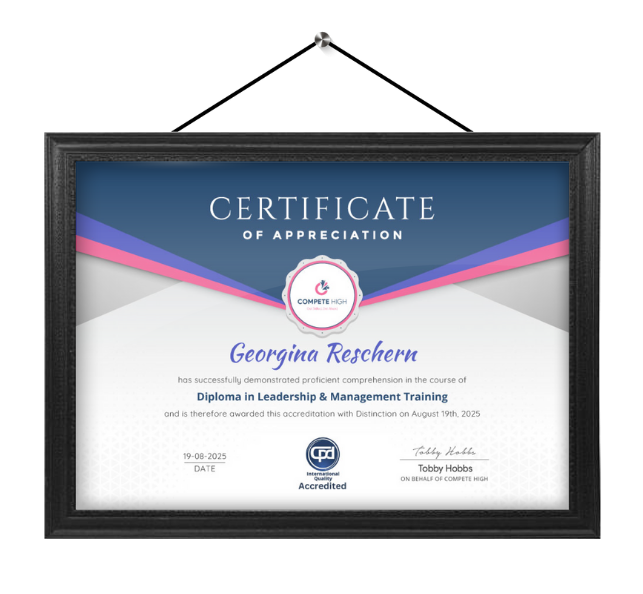
Celebrate your achievement with a CPD-IQ accredited certificate from Compete High! Perfect for showcasing your skills, boosting your career, and enhancing your professional profile. Choose the format that works best for you: PDF Certificate (£9.99) – Download instantly to add to your portfolio, résumé, LinkedIn, or share on social media. Printed Hard Copy (£29.99) – A beautifully designed certificate delivered to your door, ready to proudly display in your office or home. Both PDF & Printed Hard Copy (£31.99) – Get the best of both worlds!
Order Now