Microsoft Excel Beginner to Intermediate
- Lifetime Access
- All Levels
- PDF Certificate
Learn with Confidence










Overview
Course Overview
Microsoft Excel is one of the most essential tools used across almost every industry — from business and finance to education, data entry, administration, analytics, and entrepreneurship. Whether you are starting a new job, preparing for career advancement, or simply improving your digital skills, learning Excel has become a key requirement in today’s professional world. This Microsoft Excel Beginner to Intermediate course is designed to take you from having little or no experience to becoming confident and capable in using Excel effectively for work, study, or personal use.
This course explains Excel step-by-step in a friendly, practical, and easy-to-understand way. You will learn the core Excel features, how to organize and manage data, how to perform essential calculations, and how to use common functions that help you save time and improve accuracy. By the end of this Microsoft Excel Beginner to Intermediate course, you will be able to work independently inside Excel, from creating professional spreadsheets to organizing data and generating meaningful results.
What You Will Master
Throughout this Microsoft Excel Beginner to Intermediate training, you will build valuable skills through the following modules:
- Excel Interface
Learn how to navigate Excel confidently. Understand the workbook layout, ribbons, toolbars, menus, and cells. Get comfortable opening files, saving files, and setting up spreadsheets with clarity and structure. - Basic Functions
Discover commonly used Excel functions that will simplify your everyday tasks. Learn how to insert formulas, use AutoSum, apply basic text functions, and automate simple calculations that make your work faster and easier. - Working With Worksheet
Gain the ability to manage multiple worksheets efficiently. Learn how to rename sheets, move sheets, format cells, apply borders, adjust column widths and row heights, and organize your workbook for professional presentation. - Work with Data and Excel Tables
Learn how to organize and analyze data like a professional. Work with tables, sort and filter data, remove duplicates, and display large amounts of information in a clear and structured way. - Basic Calculations
Master key formulas for budgeting, reporting, planning, and everyday problem-solving. Learn addition, subtraction, multiplication, division, percentages, and variations step-by-step. - Shortcuts in Excel
Save time and work smarter by learning essential Excel keyboard shortcuts. These shortcuts help improve workflow speed and reduce repetitive clicking, making your spreadsheet tasks much faster and more efficient.
Why Choose This Course
This Microsoft Excel Beginner to Intermediate course is crafted with simplicity, clarity, and real-world usefulness in mind. You don’t need any technical background — we start from the basics and gradually build your skill level. Each lesson includes practical examples that relate to everyday office work, personal budgeting, project planning, data entry, and more.
By choosing this course, you will:
- Gain valuable skills demanded in almost every modern workplace
- Learn at your own pace from anywhere in the world
- Build confidence to handle real Excel tasks independently
- Improve your job prospects and professional profile
- Become more efficient, organized, and productive
This training isn’t just about learning — it’s about empowering you to use Excel as a tool to make work easier, faster, and smarter.
Who Is This Course For?
The Microsoft Excel Beginner to Intermediate course is ideal for:
- New learners with no Excel experience
- Students preparing for professional employment
- Office workers and administrative staff
- Business owners and freelancers
- Individuals wanting to improve digital skills for better job opportunities
- Anyone looking to work smartly and efficiently with data
If you have ever felt overwhelmed or unsure when opening Excel, this course is exactly for you.
Certification
Upon completing the Microsoft Excel Beginner to Intermediate course, you will receive a CPD-IQ accredited certificate. You can use this certificate to strengthen your CV, support your job applications, or demonstrate practical computer skills in interviews and workplaces.
| Certification Option | Price |
| PDF Certificate | £9.99 |
| Printed Hardcopy Certificate | £29.99 |
| Both PDF and Printed Hardcopy | £31.99 |
Take the first step toward becoming more confident and skilled — Enrol now in Microsoft Excel Beginner to Intermediate and unlock your potential to work smarter and succeed professionally!
Course Content
Module 01-Excel Interface
-
Module 01-Excel Interface
00:00
Module-02-Basic Functions
Module-03-Working With Worksheet
Module-04-Work with Data and Excel tables
Module-05-Basic Calculations
Module-06-Shortcuts in Excels

Hear from Our Successful Learners


The experience has been excellent from the start to the present. The support team is proactive and always helpful with any queries or requests.

I've taken several courses through Reed and have been completely satisfied with each one. The pricing is outstanding.

I've completed numerous courses through Reed and have been fully satisfied with each one. The courses are excellent.

I'm truly impressed by One Education's remarkable ability to understand its learners and go the extra mile for them.

I had been searching for a Level 3 course for a while—it felt like mission impossible. Discovering that Reed offers a wide range of career-focused providers was a pleasant surprise.

The course was incredibly insightful and easy to navigate. I truly enjoyed it—thank you so much.


Booking was simple and the course content was clear and well structured from day one.

Great value for money and the certificate arrived quickly after I finished my assessment.

Customer support answered my questions the same day. Would definitely recommend to a friend.

Flexible learning that fit around my job. The video lessons were easy to follow.

Second course I've taken with them now. Consistent quality every time.

Clear instructions, fair pricing, and the exam prep really helped me pass first time.
Frequently Asked Questions
Get Your Certificate Today
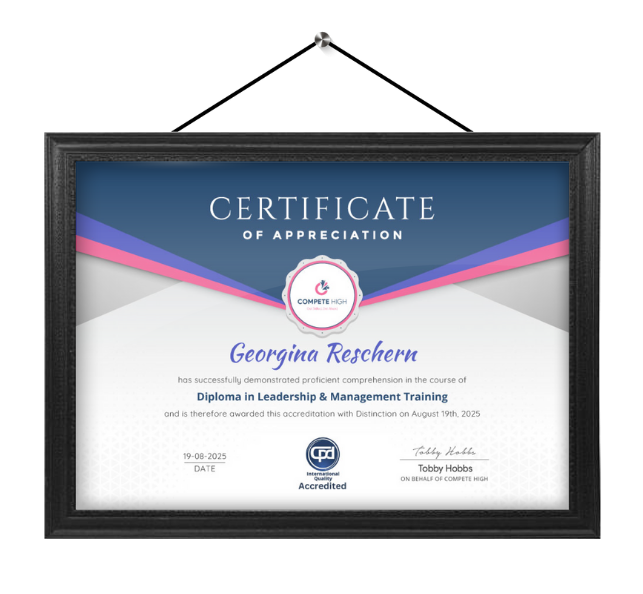
Celebrate your achievement with a CPD-IQ accredited certificate from Compete High! Perfect for showcasing your skills, boosting your career, and enhancing your professional profile. Choose the format that works best for you: PDF Certificate (£9.99) – Download instantly to add to your portfolio, résumé, LinkedIn, or share on social media. Printed Hard Copy (£29.99) – A beautifully designed certificate delivered to your door, ready to proudly display in your office or home. Both PDF & Printed Hard Copy (£31.99) – Get the best of both worlds!
Order Now