Microsoft Office – MS Word, Excel, Access & PowerPoint

- Lifetime Access
- All Levels
- PDF Certificate
Learn with Confidence










Overview
Microsoft Office – MS Word, Excel, Access & PowerPoint
The Microsoft Office – MS Word, Excel, Access & PowerPoint course provides practical coverage of four widely used Microsoft Office applications. Learners explore Excel data management, formulas, lookups, formatting, Pivot Tables and charts, then move into PowerPoint presentations, graphics, multimedia, transitions and animation. The course also covers MS Word document creation, text editing, tables, styles, page layout, mail merge and proofreading. By bringing these topics together, the course develops a broad understanding of everyday office software tasks. It is designed for learners who want structured knowledge of essential Microsoft Office features for administrative, business and workplace settings across professional environments.
- Excel formulas, VLOOKUP, HLOOKUP and XLOOKUP
- Data management, importing, sorting, filtering and Pivot Tables
- PowerPoint presentations, graphics, charts and multimedia
- MS Word documents, formatting, styles and page layout
- Mail merge, proofreading, language and tracking
Course Overview
Microsoft Office skills are useful across administrative and business environments because documents, spreadsheets, presentations and structured data are common workplace tasks. This course covers MS Word, MS Excel, MS Access and MS PowerPoint, with the curriculum giving depth to Excel and PowerPoint before developing Word skills. Learners study spreadsheet formulas, VLOOKUP, HLOOKUP, XLOOKUP, data import, Pivot Tables, charts and formatting; presentation creation, graphics, multimedia, transitions and animation; and Word documents, styles, mail merge and proofreading. These skills can support learners interested in roles such as administrative assistant, office administrator, personal or executive assistant, secretary and other business support positions where confident use of office software is useful. Office-based professionals may also use it to strengthen software knowledge. These capabilities are particularly relevant where staff prepare documents, organise information, analyse data or communicate results. It does not itself guarantee employment or replace additional qualifications or experience required for particular roles.
Description
The curriculum provides a structured learning journey through Microsoft Office features, beginning with an introduction and progressing through spreadsheet, presentation and document-based tasks. In Excel, learners cover data organisation, formulas, VLOOKUP, HLOOKUP, XLOOKUP, importing data, formatting, Pivot Tables, Pivot Charts and charts. PowerPoint modules develop knowledge of presentations, text, graphics, pictures, SmartArt, tables, charts, multimedia, transitions, animation and slide management. The Word section covers document creation, editing, tables, styles, page layout, envelopes, labels, mail merge, proofreading, language and tracking. Together, these topics provide knowledge that can be relevant to office administration, business support and other roles requiring Microsoft Office software.
Course Curriculum
Module 1: Introduction
This opening module introduces the course and establishes the foundation for working through the Microsoft Office curriculum.
Main learning topics:
- Course introduction
- Microsoft Office
- Core applications
- Course structure
Module 2: Excel Overview
This module introduces Excel and establishes an understanding of the spreadsheet environment before progressing to practical data tasks.
Main learning topics:
- Excel overview
- Spreadsheet environment
- Excel features
- Spreadsheet use
Module 3: Adding Rows And Columns
Learners explore how rows and columns are added within Excel when organising spreadsheet information.
Main learning topics:
- Adding rows
- Adding columns
- Spreadsheet structure
- Data organisation
Module 4: Copy Cut And Paste
This module focuses on common editing operations used to move and duplicate information within spreadsheets.
Main learning topics:
- Copy
- Cut
- Paste
- Spreadsheet editing
Module 5: Page Setup Options
Learners explore page setup options for preparing Excel content and organising spreadsheet pages.
Main learning topics:
- Page setup
- Page options
- Spreadsheet layout
- Document preparation
Module 6: Sorting Data And Filtering
This module covers methods for organising and narrowing spreadsheet information using sorting and filtering.
Main learning topics:
- Sorting data
- Filtering data
- Data organisation
- Data selection
Module 7: Basic Formula Operations
Learners develop knowledge of basic formula operations used to work with information in Excel.
Main learning topics:
- Basic formulas
- Formula operations
- Spreadsheet calculations
- Excel data
Module 8: V Lookup And Hlookup Formula
This module introduces VLOOKUP and HLOOKUP formulas for working with information across spreadsheet data.
Main learning topics:
- VLOOKUP
- HLOOKUP
- Lookup formulas
- Spreadsheet data
Module 9: Xlookup
Learners explore XLOOKUP as part of the course’s spreadsheet lookup formula content.
Main learning topics:
- XLOOKUP
- Lookup operations
- Spreadsheet formulas
- Data searching
Module 10: Data Management And Import
This module focuses on managing spreadsheet information and importing data for use within Excel.
Main learning topics:
- Data management
- Data import
- Spreadsheet information
- Data organisation
Module 11: Excel Formatting
Learners explore Excel formatting to organise and present spreadsheet information clearly.
Main learning topics:
- Excel formatting
- Spreadsheet presentation
- Data formatting
- Worksheet organisation
Module 12: Pivot Table And Pivot Charts
This module introduces Pivot Tables and Pivot Charts for working with and presenting spreadsheet information.
Main learning topics:
- Pivot Tables
- Pivot Charts
- Data analysis
- Data presentation
Module 13: Excel Charts
Learners explore Excel charts as a way of presenting spreadsheet information visually.
Main learning topics:
- Excel charts
- Chart creation
- Data presentation
- Visual information
Module 14: PowerPoint Overview
This module introduces PowerPoint and its role in creating and managing presentations.
Main learning topics:
- PowerPoint overview
- Presentation software
- PowerPoint features
- Presentations
Module 15: Creating And Managing Presentations
Learners explore the creation and management of PowerPoint presentations.
Main learning topics:
- Creating presentations
- Managing presentations
- Slides
- Presentation organisation
Module 16: Formatting Text
This module covers formatting text within PowerPoint presentations.
Main learning topics:
- Text formatting
- Text editing
- Presentation text
- Slide content
Module 17: Shapes, Icons, Graphics And Pictures
Learners explore visual elements that can be incorporated into PowerPoint presentations.
Main learning topics:
- Shapes
- Icons
- Graphics
- Pictures
Module 18: Picture Options And Cropping
This module focuses on picture options and cropping when working with images in presentations.
Main learning topics:
- Picture options
- Picture editing
- Cropping
- Presentation images
Module 19: SmartArt Graphics
Learners explore SmartArt graphics for presenting information visually within PowerPoint.
Main learning topics:
- SmartArt
- Graphics
- Visual presentation
- Slide content
Module 20: Tables
This module covers the use of tables within PowerPoint presentations.
Main learning topics:
- Tables
- Table content
- Presentation data
- Slide layout
Module 21: Charts
Learners explore charts as part of PowerPoint presentation creation.
Main learning topics:
- Charts
- Chart content
- Data presentation
- Presentation visuals
Module 22: Video, Audio And Screen Recording
This module introduces multimedia features including video, audio and screen recording.
Main learning topics:
- Video
- Audio
- Screen recording
- Multimedia presentations
Module 23: Presentation Transitions
Learners explore transitions used between slides in PowerPoint presentations.
Main learning topics:
- Slide transitions
- Presentation transitions
- Slide movement
- Presentation management
Module 24: Object Animation
This module covers animation applied to objects within PowerPoint presentations.
Main learning topics:
- Object animation
- Animated objects
- Presentation effects
- Slide content
Module 25: Onscreen Presentation And Slide Management
Learners explore onscreen presentation and the management of slides during PowerPoint use.
Main learning topics:
- Onscreen presentation
- Slide management
- Presentation delivery
- Slide organisation
Module 26: Overview Of MS Word
This module introduces MS Word and its document-based features.
Main learning topics:
- MS Word overview
- Word processing
- Documents
- Word features
Module 27: Creating And Managing Documents
Learners explore how documents are created and managed in MS Word.
Main learning topics:
- Creating documents
- Managing documents
- Document organisation
- Word processing
Module 28: Text Formatting And Editing
This module develops knowledge of formatting and editing text within Word documents.
Main learning topics:
- Text formatting
- Text editing
- Document text
- Word processing
Module 29: Working With Tables
Learners explore tables within Word documents and their use in document organisation.
Main learning topics:
- Word tables
- Table content
- Document organisation
- Table formatting
Module 30: Working With Styles
This module introduces styles for working with and organising Word document content.
Main learning topics:
- Word styles
- Document styles
- Text organisation
- Document formatting
Module 31: Page Layout And Formatting
Learners explore page layout and formatting options within Word documents.
Main learning topics:
- Page layout
- Page formatting
- Document layout
- Word formatting
Module 32: Envelopes And Labels
This module covers the use of envelopes and labels in MS Word.
Main learning topics:
- Envelopes
- Labels
- Word documents
- Document preparation
Module 33: Mail Merge
Learners explore mail merge as part of the Word document management curriculum.
Main learning topics:
- Mail merge
- Document creation
- Merged documents
- Word features
Module 34: Proofreading, Language And Tracking
The final module covers proofreading, language features and tracking within Word.
Main learning topics:
- Proofreading
- Language
- Tracking
- Document editing
Who Is This Course For?
This course is suitable for learners who want to develop knowledge of MS Word, MS Excel, MS Access and MS PowerPoint for office and business environments. It can be particularly relevant to people interested in administrative assistant, office administrator, secretary, personal assistant, executive assistant and other business support roles where Microsoft Office software is commonly used. It may also suit existing office-based professionals who want to strengthen their knowledge of spreadsheets, presentations and document creation. Learners interested in data organisation can benefit from the Excel content covering formulas, lookups, data management, Pivot Tables and charts. Those involved in presentations can develop knowledge of PowerPoint features including graphics, multimedia, transitions and animation. The course can also provide a structured starting point for beginners seeking foundational Microsoft Office knowledge.
Requirements
No formal entry requirements, previous qualifications or work experience are provided in the supplied course information. Therefore, none should be treated as a mandatory requirement for this course. Learners should review the course content to ensure that the Microsoft Office topics covered match their learning needs.
Skills You Can Develop
Microsoft Excel Skills — Develop knowledge of spreadsheet operations including rows, columns, copying, sorting, filtering and formatting.
Formula Skills — Build knowledge of basic formula operations alongside VLOOKUP, HLOOKUP and XLOOKUP.
Data Management Skills — Develop knowledge of managing and importing spreadsheet data.
Pivot Table Skills — Build familiarity with Pivot Tables and Pivot Charts for working with spreadsheet information.
Chart Creation Skills — Develop knowledge of using charts to present Excel and PowerPoint information.
Presentation Creation Skills — Learn about creating and managing PowerPoint presentations.
Presentation Design Skills — Develop knowledge of text formatting, shapes, icons, graphics, pictures, SmartArt and tables.
Multimedia Presentation Skills — Explore video, audio and screen recording within PowerPoint.
MS Word Document Skills — Develop knowledge of creating, managing, formatting and editing Word documents.
Document Management Skills — Build knowledge of styles, page layout, envelopes, labels, mail merge, proofreading, language and tracking.
Learning Outcomes
- Understand the core areas covered by the Microsoft Office course, including Excel, PowerPoint and Word.
- Identify and use Excel rows, columns and common copy, cut and paste operations.
- Explain how sorting, filtering, formatting and data import can be used when working with Excel information.
- Apply basic Excel formula operations and use VLOOKUP, HLOOKUP and XLOOKUP within the course context.
- Describe the use of Pivot Tables, Pivot Charts and Excel charts for presenting spreadsheet information.
- Create and manage PowerPoint presentations using text, shapes, icons, graphics, pictures, SmartArt, tables and charts.
- Use PowerPoint features involving video, audio, screen recording, transitions and object animation.
- Create and manage MS Word documents using text formatting, editing, tables, styles and page layout.
- Explain how envelopes, labels and mail merge are used within MS Word.
- Apply knowledge of proofreading, language and tracking features when working with Word documents.
Career Paths
Administrative Assistant
Typical UK Salary: £21,000 to £28,000 per year, indicative.
How the course is relevant: Administrative assistants commonly work with documents, records and office software. The course’s Word, Excel and PowerPoint content can support knowledge of word processing, spreadsheets and presentations. The National Careers Service also identifies word processing, spreadsheet skills and competence with main software packages as useful for this role.
Office Administrator
Typical UK Salary: £21,000 to £28,000 per year as an indicative reference for administrative assistant/office administrator roles.
How the course is relevant: Office administrators may work with business documents, records and routine office information. MS Word, Excel and PowerPoint knowledge from this course can support the software skills relevant to such work.
Personal or Executive Assistant
Typical UK Salary: £28,000 to £60,000 per year, indicative.
How the course is relevant: Personal and executive assistants may prepare documents, reports and presentations, making the course’s Word and PowerPoint content relevant. Excel knowledge may also support work involving organised information and spreadsheets. The role normally requires broader organisational, communication and workplace skills in addition to software knowledge.
Secretary
Typical UK Salary: Salary varies according to the specific secretarial role, employer, experience and location.
How the course is relevant: Secretarial work can involve creating documents, formatting information and preparing professional materials. The Word modules covering documents, tables, styles, page layout, mail merge, proofreading and tracking provide relevant software knowledge.
Salary figures are indicative rather than guaranteed. Actual UK pay varies according to experience, location, employer and role; the National Careers Service states that its salary information is intended as a guide.
FAQs
What is the Microsoft Office – MS Word, Excel, Access & PowerPoint course?
It is a Microsoft Office skills course covering MS Word, Excel, Access and PowerPoint. The supplied curriculum focuses on Excel, PowerPoint and Word topics including formulas, data management, presentations, document creation, formatting and mail merge.
What will I learn in the MS Word course online?
You will study MS Word document creation and management, text formatting and editing, tables, styles, page layout, envelopes, labels, mail merge, proofreading, language and tracking.
Does the course include MS Excel training?
Yes. The Excel section covers rows and columns, copy, cut and paste, page setup, sorting, filtering, basic formulas, VLOOKUP, HLOOKUP, XLOOKUP, data management and import, formatting, Pivot Tables, Pivot Charts and charts.
Does this course include MS PowerPoint training?
Yes. The PowerPoint modules cover presentation creation and management, text formatting, shapes, icons, graphics, pictures, SmartArt, tables, charts, video, audio, screen recording, transitions, object animation, onscreen presentation and slide management.
Is this Microsoft Office course suitable for beginners?
The supplied information does not specify a required level of previous knowledge. The curriculum begins with an introduction and progresses through foundational and more specific Microsoft Office topics, so learners can review the module sequence to determine whether it matches their current knowledge.
What careers can Microsoft Office skills support?
Microsoft Office knowledge can be relevant to administrative assistant, office administrator, secretary, personal assistant, executive assistant and other business support roles. The course can support software knowledge for these areas, but completing the course does not guarantee employment or automatically qualify someone for a particular role.
Does the course include advanced MS Excel training?
The curriculum includes more advanced spreadsheet-related topics such as VLOOKUP, HLOOKUP, XLOOKUP, data management and import, Pivot Tables, Pivot Charts and Excel charts. It therefore covers a range of Excel functions beyond basic spreadsheet operations.
Course Content
Module- 1
-
Introduction
00:00 -
Getting Started On Windows Macos And Linux
00:00 -
How To Ask Great Questions
00:00 -
Faqs
00:00
Module- 2
Module- 3
Module- 4
Module- 5
Module- 6
Module- 7
Module- 8
Module- 9
Module- 10
Module- 11
Module- 12
Module- 13
Module- 14
Module- 15
Module- 16
Module- 17
Module- 18
Module- 19
Module- 20
Module- 21
Module- 22
Module- 23
Module- 24
Module- 25
Module- 26
Module- 27
Module- 28
Module- 29
Module- 30
Module- 31
Module- 32
Module- 33
Module- 34

Hear from Our Successful Learners


The experience has been excellent from the start to the present. The support team is proactive and always helpful with any queries or requests.

I've taken several courses through Reed and have been completely satisfied with each one. The pricing is outstanding.

I've completed numerous courses through Reed and have been fully satisfied with each one. The courses are excellent.

I'm truly impressed by One Education's remarkable ability to understand its learners and go the extra mile for them.

I had been searching for a Level 3 course for a while—it felt like mission impossible. Discovering that Reed offers a wide range of career-focused providers was a pleasant surprise.

The course was incredibly insightful and easy to navigate. I truly enjoyed it—thank you so much.


Booking was simple and the course content was clear and well structured from day one.

Great value for money and the certificate arrived quickly after I finished my assessment.

Customer support answered my questions the same day. Would definitely recommend to a friend.

Flexible learning that fit around my job. The video lessons were easy to follow.

Second course I've taken with them now. Consistent quality every time.

Clear instructions, fair pricing, and the exam prep really helped me pass first time.
Frequently Asked Questions
Get Your Certificate Today
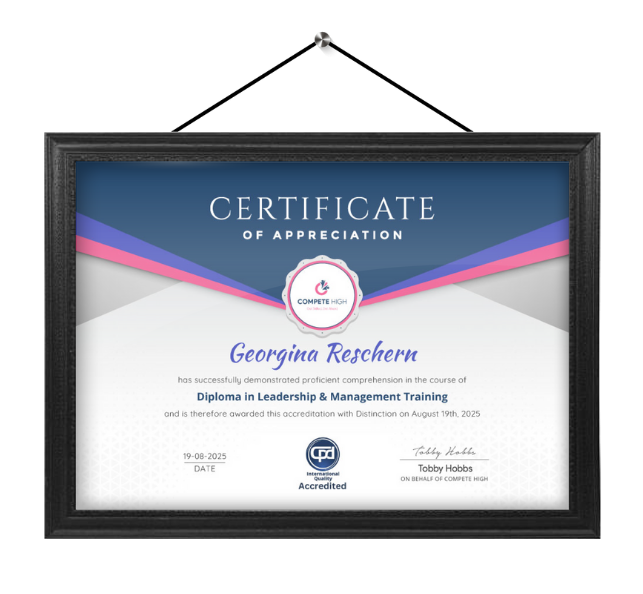
Celebrate your achievement with a CPD-IQ accredited certificate from Compete High! Perfect for showcasing your skills, boosting your career, and enhancing your professional profile. Choose the format that works best for you: PDF Certificate (£9.99) – Download instantly to add to your portfolio, résumé, LinkedIn, or share on social media. Printed Hard Copy (£29.99) – A beautifully designed certificate delivered to your door, ready to proudly display in your office or home. Both PDF & Printed Hard Copy (£31.99) – Get the best of both worlds!
Order Now