Microsoft Copilot Training Course
SPRING SUPER SALE! 1500+ COURSES AT ONLY £99 FOR LIFE. FIND OUT MORE
Microsoft Copilot Training Course
Microsoft Copilot Training Course
Overview
Welcome to the Microsoft Copilot Training Course — your complete, hands-on guide to mastering AI across the Microsoft ecosystem.
The Microsoft Copilot Training Course is designed to transform how you work with Microsoft tools by integrating AI into your daily workflows. Instead of simply learning features, this Microsoft Copilot Training Course teaches you how to strategically use Microsoft Copilot inside Clipchamp, PowerPoint, Word, Outlook, Designer, and more to increase productivity, creativity, and efficiency.
AI is no longer optional. It is integrated directly into Microsoft products used by millions of professionals worldwide. The Microsoft Copilot Training Course ensures you are not left behind. Whether you create presentations, design marketing materials, manage emails, produce videos, or write reports, this Microsoft Copilot Training Course shows you how to do it faster and smarter.
By enrolling in the Microsoft Copilot Training Course, you will:
-
Create AI-powered videos
-
Use AI text-to-speech tools
-
Generate captions and transcriptions
-
Design promotional graphics with AI
-
Build and manage a professional brand kit
-
Summarise and draft emails using AI
-
Convert information into structured tables
-
Create presentation summaries instantly
-
Transform transcripts into polished content
-
Understand AI limitations and best practices
The Microsoft Copilot Training Course is not theoretical. It is practical, step-by-step, and built for real-world execution.
Course Description
The Microsoft Copilot Training Course is a comprehensive training system designed to give you total control over AI-powered features within Microsoft tools. This course takes you from understanding the basics of AI integration to mastering advanced demonstrations and workflow strategies.
Unlike generic AI courses, the Microsoft Copilot Training Course focuses specifically on how Microsoft Copilot works across multiple Microsoft platforms. You will learn how to create video content with AI in Clipchamp, design marketing materials in Microsoft Designer, draft and summarise emails in Outlook, and leverage Copilot in Word and PowerPoint for structured content creation.
Each module in the Microsoft Copilot Training Course builds progressively, ensuring you develop both confidence and competence.
Module0001 – Creating AI-Powered Videos with Microsoft Clipchamp
The Microsoft Copilot Training Course begins with AI-driven video creation. In this module, you will learn how to use Microsoft Clipchamp to generate professional videos using AI tools. You will understand how the Microsoft Copilot Training Course helps you streamline video production without advanced editing experience.
You will discover how AI simplifies video editing, enhances production quality, and saves time.
Module0002 – Auto Compose Video with AI in Microsoft Clipchamp
Inside the Microsoft Copilot Training Course, you will explore Auto Compose features. Instead of manually arranging clips, AI helps build structured video sequences automatically. This module shows how the Microsoft Copilot Training Course transforms raw footage into polished content in minutes.
Module0003 – AI Text-to-Speech Tools in Microsoft Clipchamp
The Microsoft Copilot Training Course teaches you how to create voiceovers using AI-powered text-to-speech tools. You will learn voice customisation, pacing control, and clarity optimisation techniques.
This section of the Microsoft Copilot Training Course is especially valuable for marketers, educators, and content creators.
Module0004 – Generating Transcriptions & Captions in Microsoft Clipchamp
Accessibility and engagement matter. The Microsoft Copilot Training Course covers automated transcription and caption generation, ensuring your videos are accessible and professional.
You will see how the Microsoft Copilot Training Course helps you generate accurate captions efficiently.
Module0005 – AI Speaker Coach in Microsoft Clipchamp
Presentation skills are enhanced with AI. In the Microsoft Copilot Training Course, you will learn how AI Speaker Coach provides feedback on pacing, filler words, and clarity.
This module ensures the Microsoft Copilot Training Course improves not just content but delivery.
Module0006 – Using AI Speaker Coach in Microsoft PowerPoint
The Microsoft Copilot Training Course extends speaker coaching into PowerPoint. You will learn how to rehearse presentations with AI feedback and refine your delivery style.
This integration demonstrates the cross-platform power of the Microsoft Copilot Training Course.
Module0007 – Designing Promotional Content with Microsoft Designer
The Microsoft Copilot Training Course introduces Microsoft Designer as an AI-powered creative tool. You will create promotional visuals using AI-assisted design suggestions.
You will understand layout optimisation and brand consistency strategies taught in the Microsoft Copilot Training Course.
Module0008 – Generating AI Images in Microsoft Designer
In this module of the Microsoft Copilot Training Course, you will generate custom AI images tailored to your marketing needs. You will learn prompt strategies for high-quality visuals.
The Microsoft Copilot Training Course ensures you produce images aligned with brand identity.
Module0009 – Building and Managing a Brand Kit in Microsoft Designer
Brand consistency is critical. The Microsoft Copilot Training Course teaches how to build and manage brand kits including fonts, colours, and assets.
This module ensures the Microsoft Copilot Training Course supports long-term branding strategies.
Module0010 – Understanding Terms of Service in Microsoft Designer
Compliance matters. The Microsoft Copilot Training Course includes a clear explanation of terms of service, intellectual property considerations, and usage rights.
This ensures you use AI responsibly within the Microsoft Copilot Training Course framework.
Module0011 – Summarising Emails with Microsoft Copilot in Microsoft Outlook
Email overload is common. The Microsoft Copilot Training Course shows you how to summarise long threads instantly inside Outlook using Microsoft Copilot.
This productivity boost is one of the core strengths of the Microsoft Copilot Training Course.
Module0012 – Drafting Professional Emails Using Microsoft Copilot in Microsoft Outlook
The Microsoft Copilot Training Course teaches you how to draft clear, professional emails using AI assistance while maintaining tone and context.
You will refine communication workflows through the Microsoft Copilot Training Course.
Module0013 – Live Demonstration: AI Editing in Action
This live demonstration within the Microsoft Copilot Training Course shows real-time AI editing, allowing you to observe workflows in practice.
Module0014 – Live Demonstration: Using Microsoft Copilot in Microsoft Word
The Microsoft Copilot Training Course provides a practical demonstration of using Copilot inside Word to generate structured documents, edit content, and refine language.
Module0015 – Live Demonstration: Summaries & Design Integration
In this section of the Microsoft Copilot Training Course, you will see how summaries integrate with design tools for cohesive presentations and reports.
Module0016 – Live Demonstration: Converting Information into Tables
The Microsoft Copilot Training Course demonstrates how AI converts complex information into structured tables for clarity and efficiency.
Module0017 – Live Demonstration: Creating Summaries in Microsoft PowerPoint
The Microsoft Copilot Training Course shows you how to summarise presentations into concise slide content, improving clarity and flow.
Module0018 – Live Demonstration: Capabilities and Limitations
Understanding limitations is essential. The Microsoft Copilot Training Course clearly outlines strengths and boundaries of Microsoft Copilot.
Module0019 – Live Demonstration: Transforming Transcripts with AI
In the Microsoft Copilot Training Course, you will transform transcripts into summaries, reports, and structured documents using AI tools.
Module0020 – Exploring Microsoft Create & Course Conclusion
The Microsoft Copilot Training Course concludes by exploring Microsoft Create and reinforcing core concepts.
Who Is This Course For?
The Microsoft Copilot Training Course is designed for:
Business Professionals
Improve communication and reporting using the Microsoft Copilot Training Course.
Content Creators
Leverage AI video and design tools taught in the Microsoft Copilot Training Course.
Marketers
Create promotional materials and brand kits effectively with the Microsoft Copilot Training Course.
Educators
Use AI to create engaging presentations and instructional videos.
Administrative Professionals
Streamline email management with the Microsoft Copilot Training Course.
Entrepreneurs
Save time and increase output using AI-powered Microsoft tools.
If you use Microsoft tools daily, the Microsoft Copilot Training Course will significantly enhance your workflow.
Frequently Asked Questions (FAQ)
1. Do I need prior AI experience for the Microsoft Copilot Training Course?
No. The Microsoft Copilot Training Course starts with fundamentals and builds to advanced demonstrations.
2. Does the Microsoft Copilot Training Course include hands-on demonstrations?
Yes. The Microsoft Copilot Training Course includes multiple live demonstrations across Word, Outlook, PowerPoint, and Clipchamp.
3. Will the Microsoft Copilot Training Course help me save time?
Absolutely. Time optimisation is a central focus of the Microsoft Copilot Training Course.
4. Does the Microsoft Copilot Training Course cover video creation?
Yes. The Microsoft Copilot Training Course includes detailed modules on AI-powered video tools in Microsoft Clipchamp.
5. Is branding covered in the Microsoft Copilot Training Course?
Yes. The Microsoft Copilot Training Course teaches brand kit management and AI image generation in Microsoft Designer.
6. Will I learn about AI limitations?
Yes. The Microsoft Copilot Training Course includes a full module on capabilities and limitations.
Final Thoughts
The Microsoft Copilot Training Course is your gateway to mastering AI within Microsoft tools. Instead of working harder, you will work smarter.
From AI-powered videos to intelligent email drafting, from design automation to presentation summaries, the Microsoft Copilot Training Course equips you with the knowledge and confidence to lead in the AI-powered workplace.
If you want to future-proof your skills, increase efficiency, and unlock the full power of Microsoft Copilot, the Microsoft Copilot Training Course is the solution.
Enroll today and transform the way you work with the Microsoft Copilot Training Course.
Extra Included :
Accredited Certificate Available
Unlimited Access and Retakes
Free Enrollment Letter Included
CPD International Quality Accredited
Meets UK & EU legal requirements
Instant e-certificate and eligibility of ordering hardcopy
Developed by Industry Experts
Learn anytime from anywhere
Use any internet-connected device
24/7 Live Support
Discounts on bulk purchases
Certification
Perfect for showcasing your skills, boosting your career, and enhancing your professional profile.
Choose the format that works best for you:
-
PDF Certificate (£9.99) – Download instantly to add to your portfolio, résumé, LinkedIn, or share on social media.
-
Printed Hard Copy (£29.99) – A beautifully designed certificate delivered to your door, ready to proudly display in your office or home.
-
Both PDF & Printed Hard Copy (£31.99) – Get the best of both worlds!
Anyone that is looking to develop their skills in the subjects of the course or improve their professional outcomes are welcome to take these courses.
Our courses are assured and accredited by several organisations including CPD IQ, IOAS, CPD Group, and more. All of our courses are CPD accredited.
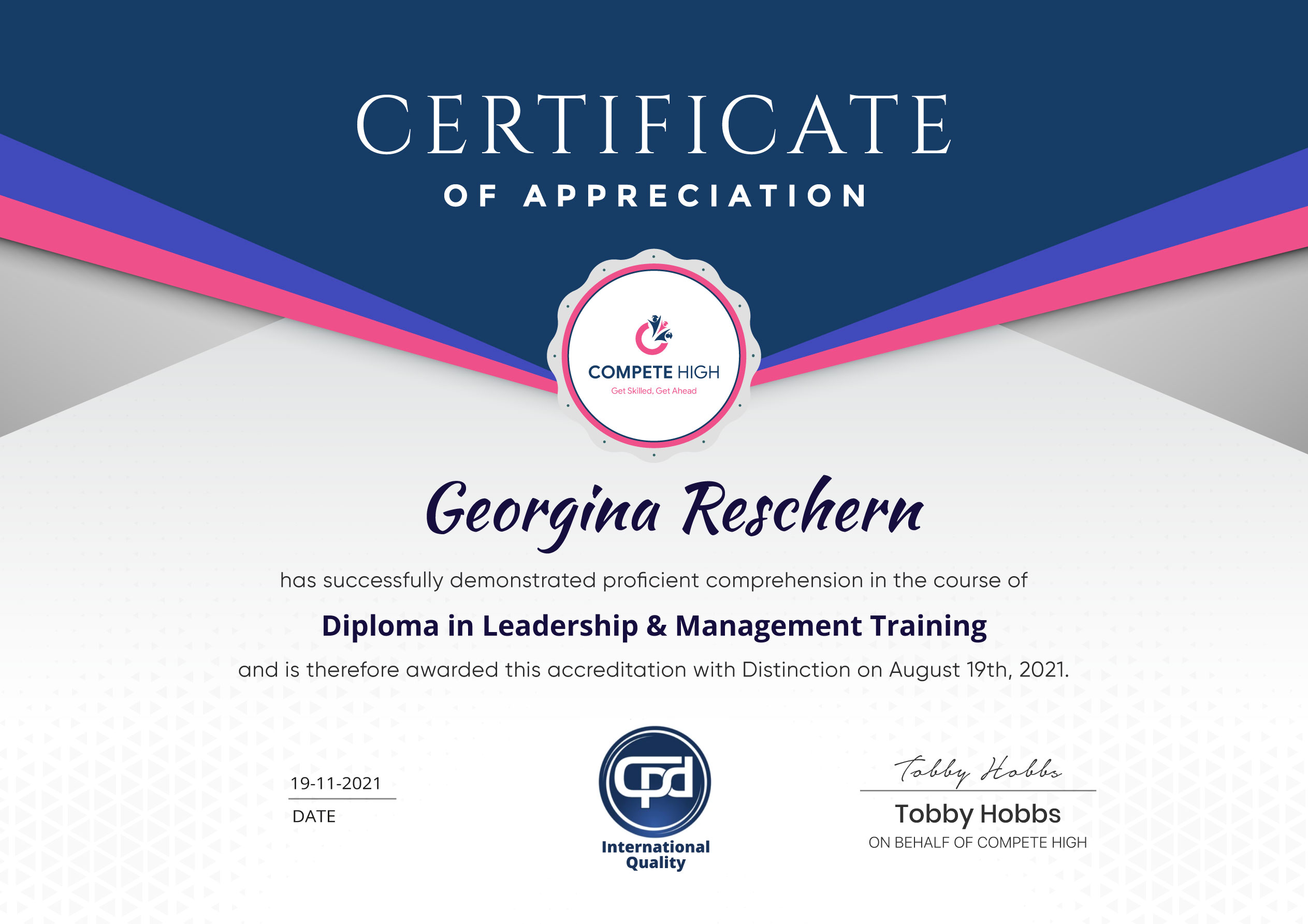
You are eligible for a course certificate upon completion. In some cases, you will need to purchase the certificate. In the purchase details, you will need to include the course details. Or you could also go to this link and submit your details after purchase.
There are all kinds of contents you can find on our site. This includes PDF files, videos, and extra materials. Also, most courses come with assessments that you will need to complete.
All you have to do is buy the course. This means that you have to add the course to cart and then complete the steps to purchase. Once you have completed the purchase, you can find it in your user dashboard.
Course Contents
Course Content
Module0001 – Creating AI-Powered Videos with Microsoft Clipchamp
-
Creating AI-Powered Videos with Microsoft Clipchamp
00:00
Module0002 – Auto Compose Video with AI in Microsoft Clipchamp
Module0003 – AI Text-to-Speech Tools in Microsoft Clipchamp
Module0004 – Generating Transcriptions & Captions in Microsoft Clipchamp
Module0005 – AI Speaker Coach in Microsoft Clipchamp
Module0006 – Using AI Speaker Coach in Microsoft PowerPoint
Module0007 – Designing Promotional Content with Microsoft Designer
Module0008 – Generating AI Images in Microsoft Designer
Module0009 – Building and Managing a Brand Kit in Microsoft Designer
Module0010 – Understanding Terms of Service in Microsoft Designer
Module0011 – Summarising Emails with Microsoft Copilot in Microsoft Outlook
Module0012 – Drafting Professional Emails Using Microsoft Copilot in Microsoft Outlook
Module0013 – Live Demonstration: AI Editing in Action
Module0014 – Live Demonstration: Using Microsoft Copilot in Microsoft Word
Module0015 – Live Demonstration: Summaries & Design Integration
Module0016 – Live Demonstration: Converting Information into Tables
Module0017 – Live Demonstration: Creating Summaries in Microsoft PowerPoint
Module0018 – Live Demonstration: Capabilities and Limitations
Module0019 – Live Demonstration: Transforming Transcripts with AI
Module0020 – Exploring Microsoft Create & Course Conclusion
Student Ratings & Reviews


Excellent
4.78 Average 173 Reviews
The courses are informative, easy to follow, and offer a wide range of topics to choose from.
The staff are incredibly friendly and responsive. I'm looking forward to returning for another course!
Thank you! I truly enjoyed my learning experience and found it to be both enriching and rewarding.
An incredibly straightforward course to follow, offering great insight into the subject. Many thanks.
All the courses are easily accessible, straightforward to understand, and highly informative.