Touch Typing Masterclass

- Lifetime Access
- All Levels
- PDF Certificate
Learn with Confidence









Overview
Touch Typing Masterclass
Overview of Touch Typing Masterclass
The Touch Typing Masterclass is a fast, practical, and career-focused course designed to help learners master one of the most essential workplace skills today: touch typing. In a digital-first world, speed and accuracy on the keyboard are no longer optional—they are critical for productivity, efficiency, and employability. This Touch Typing Masterclass stands out because it is shorter than other similar courses, allowing you to complete it quickly and earn a certificate incredibly fast.
Unlike long, overwhelming typing programs, the Touch Typing Masterclass is structured to deliver results in a short amount of time. This means you can become job-ready faster, improve your typing confidence, and immediately apply your new skills in real-world work environments. Whether you are preparing for an office job, administrative role, remote work, or academic success, this Touch Typing Masterclass helps you get there efficiently.
Course Description
The Touch Typing Masterclass is carefully designed to take learners from beginner level to confident touch typists in a streamlined and easy-to-follow format. Each module builds on the previous one, ensuring rapid progress without unnecessary repetition.
Module 1 – Introduction of Touch Typing
This module explains what touch typing is and why it is an essential modern skill. You will learn how touch typing improves productivity, reduces errors, and supports long-term career growth.
Module 2 – Getting Started
In this module, learners are introduced to correct posture, finger placement, and keyboard layout. Proper habits from the start ensure faster learning and prevent bad typing habits.
Module 3 – A Complete Guide for Beginners
This beginner-friendly module breaks down touch typing into simple steps. Learners gain confidence by practicing basic keystrokes and understanding finger responsibilities.
Module 4 – Learn How to Touch Type
Here, the core of the Touch Typing Masterclass comes to life. You will practice structured typing exercises that build muscle memory, speed, and accuracy.
Module 5 – 5 Techniques or Skills to Master
This module focuses on proven techniques to increase typing speed and accuracy. You will learn how to type without looking at the keyboard and maintain consistent performance.
Module 6 – Reference Guide
A practical reference guide is included so learners can revisit techniques, finger charts, and exercises whenever needed.
Module 7 – How It Is an Essential Skill All Children Should Learn
This module highlights why touch typing is a lifelong skill. It explains its importance in education, digital learning, and future careers.
Module 8 – Touch Typing Education in Different Countries
You will gain insight into how touch typing is taught globally and why it is considered a core digital skill in many education systems.
The course concludes with an assignment that allows learners to demonstrate their typing proficiency and readiness. Upon successful completion, learners receive a certificate, validating their skills and boosting their employability.
Who Is This Course For?
The Touch Typing Masterclass is ideal for:
-
Job seekers who want to become job-ready quickly
-
Students preparing for exams, assignments, and digital learning
-
Office professionals, administrators, and data entry workers
-
Freelancers and remote workers who rely on fast typing
-
Beginners with little or no typing experience
-
Anyone looking to improve productivity and confidence on a computer
Because the Touch Typing Masterclass is shorter than other courses, it is perfect for busy learners who want fast results without sacrificing quality.
Career and Job-Readiness Benefits
The Touch Typing Masterclass is designed with employability in mind. Employers across industries value candidates who can type quickly and accurately. Completing this course helps you:
-
Improve typing speed and accuracy for office and remote jobs
-
Increase productivity in administrative and professional roles
-
Strengthen your CV with a recognized typing certificate
-
Gain confidence using computers in fast-paced work environments
-
Stand out in roles such as data entry, customer service, and administration
Because the Touch Typing Masterclass can be completed quickly, you can earn your certificate fast and start applying your new skills immediately.
Why Choose Touch Typing Masterclass?
-
Shorter and more focused than traditional typing courses
-
Certificate awarded quickly after completion
-
Designed for beginners and career-focused learners
-
Practical exercises with real-world application
-
Helps you become job-ready in a short time
The Touch Typing Masterclass is not just about learning to type—it’s about building a skill that directly supports your career growth.
Frequently Asked Questions (FAQ)
Q1: How long does the Touch Typing Masterclass take to complete?
The Touch Typing Masterclass is a short, fast-track course designed to be completed quickly compared to similar programs.
Q2: Do I need prior typing experience?
No. The course is beginner-friendly and starts from the basics.
Q3: Will I receive a certificate after completing the course?
Yes. You will receive a certificate upon successful completion, helping improve your job prospects.
Q4: Is this course useful for jobs?
Absolutely. Touch typing is a highly valued skill in office, administrative, and remote roles.
Q5: Can students and professionals both take this course?
Yes. The Touch Typing Masterclass is suitable for students, job seekers, and working professionals alike.
Course Content
Module 1 – Introduction of Touch Typing
-
Introduction of Touch Typing
00:00
Module 2 – Getting Started
Module 3 – A Complete Guide for Beginners
Module 4 – Learn How to Touch Type
Module 5 – 5 Techniques or Skills to Master
Module 6 – Reference Guide
Module 7 – How It is an Essential Skill All Children Should Learn
Module 8 – Touch Typing Education in Different Countries
Assignment
Hear from Our Successful Learners


The experience has been excellent from the start to the present. The support team is proactive and always helpful with any queries or requests.

I've taken several courses through Reed and have been completely satisfied with each one. The pricing is outstanding.

I've completed numerous courses through Reed and have been fully satisfied with each one. The courses are excellent.

I'm truly impressed by One Education's remarkable ability to understand its learners and go the extra mile for them.

I had been searching for a Level 3 course for a while—it felt like mission impossible. Discovering that Reed offers a wide range of career-focused providers was a pleasant surprise.

The course was incredibly insightful and easy to navigate. I truly enjoyed it—thank you so much.


Booking was simple and the course content was clear and well structured from day one.

Great value for money and the certificate arrived quickly after I finished my assessment.

Customer support answered my questions the same day. Would definitely recommend to a friend.

Flexible learning that fit around my job. The video lessons were easy to follow.

Second course I've taken with them now. Consistent quality every time.

Clear instructions, fair pricing, and the exam prep really helped me pass first time.
Frequently Asked Questions
Get Your Certificate Today
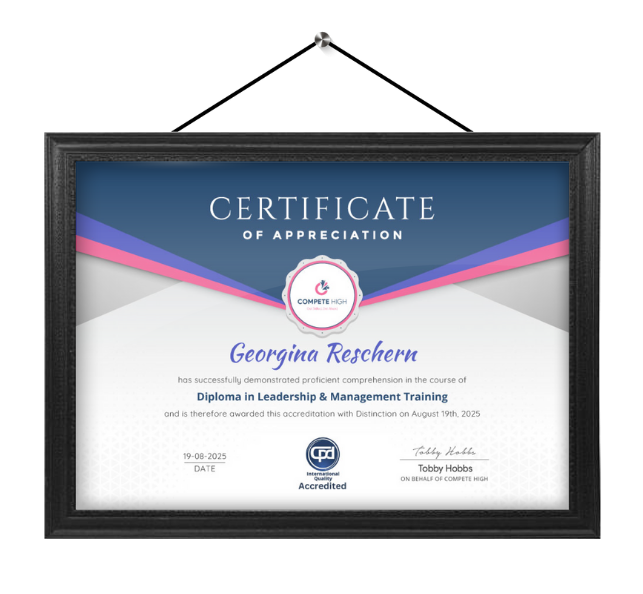
Celebrate your achievement with a CPD-IQ accredited certificate from Compete High! Perfect for showcasing your skills, boosting your career, and enhancing your professional profile. Choose the format that works best for you: PDF Certificate (£9.99) – Download instantly to add to your portfolio, résumé, LinkedIn, or share on social media. Printed Hard Copy (£29.99) – A beautifully designed certificate delivered to your door, ready to proudly display in your office or home. Both PDF & Printed Hard Copy (£31.99) – Get the best of both worlds!
Order Now