
Windows 10 Jumpstart: A Beginner’s Guide
SPRING SUPER SALE! 1500+ COURSES AT ONLY £99 FOR LIFE. FIND OUT MORE
Windows 10 Jumpstart: A Beginner’s Guide
Windows 10 Jumpstart: A Beginner’s Guide is a fast, practical, and career-focused course designed for learners who want to master Windows 10 efficiently without spending months on long, complex programs. This course is intentionally shorter than other Windows or computer literacy courses, allowing students to complete it quickly and earn a certificate in record time. That speed makes it ideal for anyone looking to become job-ready, gain essential computer skills, or build confidence navigating a modern operating system.
The course focuses on hands-on workflows for using Windows 10 efficiently, covering everything from file management to multimedia tools. Instead of overwhelming learners with technical jargon, it emphasizes practical execution, clarity, and real-world application. By completing Windows 10 Jumpstart: A Beginner’s Guide, learners gain competence, confidence, and a certification that employers and clients highly value.
Description
Windows 10 Jumpstart: A Beginner’s Guide teaches learners how to navigate, manage, and utilize Windows 10 effectively. The course begins with File Explorer basics, exploring the File Menu, Home Menu, Share Menu, View Menu, and Search Menu. Students learn how to organize files, manage folders, and locate documents quickly, gaining essential skills for workplace productivity.
The course continues with lessons on managing your desktop, adjusting display settings, and configuring Cortana for voice assistance. Learners also explore Quick Assist settings for remote support, media streaming settings, and other key Windows 10 features that enhance workflow and communication.
Multimedia tools are covered extensively, including recording screen videos, audio, snapshots, step recordings, and webcam video. Learners gain hands-on practice with these features, preparing them to create tutorials, presentations, and professional digital content efficiently.
The course also teaches how to add and manage applications, ensuring learners can customize their Windows 10 experience to suit both personal and professional needs. By the end of the course, students are equipped to operate Windows 10 confidently, manage files effectively, and use multimedia tools to enhance productivity.
Unlike longer programs, Windows 10 Jumpstart: A Beginner’s Guide emphasizes job-ready skills. The short format allows learners to earn certification quickly while gaining practical knowledge that can be applied immediately in administrative, IT support, or remote work roles.
Who Is This Course For
Windows 10 Jumpstart: A Beginner’s Guide is perfect for beginners, career switchers, and professionals who want to gain essential Windows 10 skills quickly. It is ideal for anyone entering office administration, IT support, remote work, or digital content creation who needs practical, marketable skills without committing to lengthy courses.
Freelancers, virtual assistants, and remote workers who interact with clients digitally will benefit from the hands-on approach. Students and job-seekers looking for fast certification and job-ready computer skills will also find this course invaluable. If your goal is fast completion, practical experience, and immediate job readiness, this course is designed for you.
Key Learning Outcomes
-
Navigate File Explorer effectively and manage files with ease
-
Use File, Home, Share, View, and Search menus proficiently
-
Manage desktops, displays, and Cortana voice assistance
-
Configure Quick Assist and media streaming settings
-
Record screen videos, audio, steps, and webcam content
-
Add and manage applications efficiently
-
Complete the course quickly and earn a recognized certificate
FAQ
How long does it take to complete the course?
The course is intentionally short and focused. Most learners can complete it quickly and earn a certificate faster than traditional Windows 10 or computer literacy courses.
Will this course help me become job-ready?
Yes. Windows 10 Jumpstart: A Beginner’s Guide emphasizes practical, employer-relevant skills for office administration, IT support, and remote work.
Do I need prior Windows experience?
No prior experience is required. The course starts with foundational skills and builds hands-on proficiency step by step.
Can this course help me create professional digital content?
Absolutely. The course covers screen recording, audio recording, snapshots, and webcam video, enabling learners to produce high-quality tutorials and presentations.
Is this course suitable for freelancers or remote workers?
Yes. The skills taught are directly applicable to freelance, remote, and contract-based work that relies on Windows 10 proficiency.
Conclusion
If you want a fast, practical, and career-focused way to master Windows 10, Windows 10 Jumpstart: A Beginner’s Guide is the ideal choice. Its short completion time, hands-on curriculum, and rapid certification make it perfect for learners who want to gain professional computer skills quickly. By completing Windows 10 Jumpstart: A Beginner’s Guide, you gain the confidence, knowledge, and certification needed to navigate Windows 10 efficiently, manage files, and use multimedia tools—positioning yourself for administrative, IT, or remote work roles without the delays of longer programs.
Extra Included :
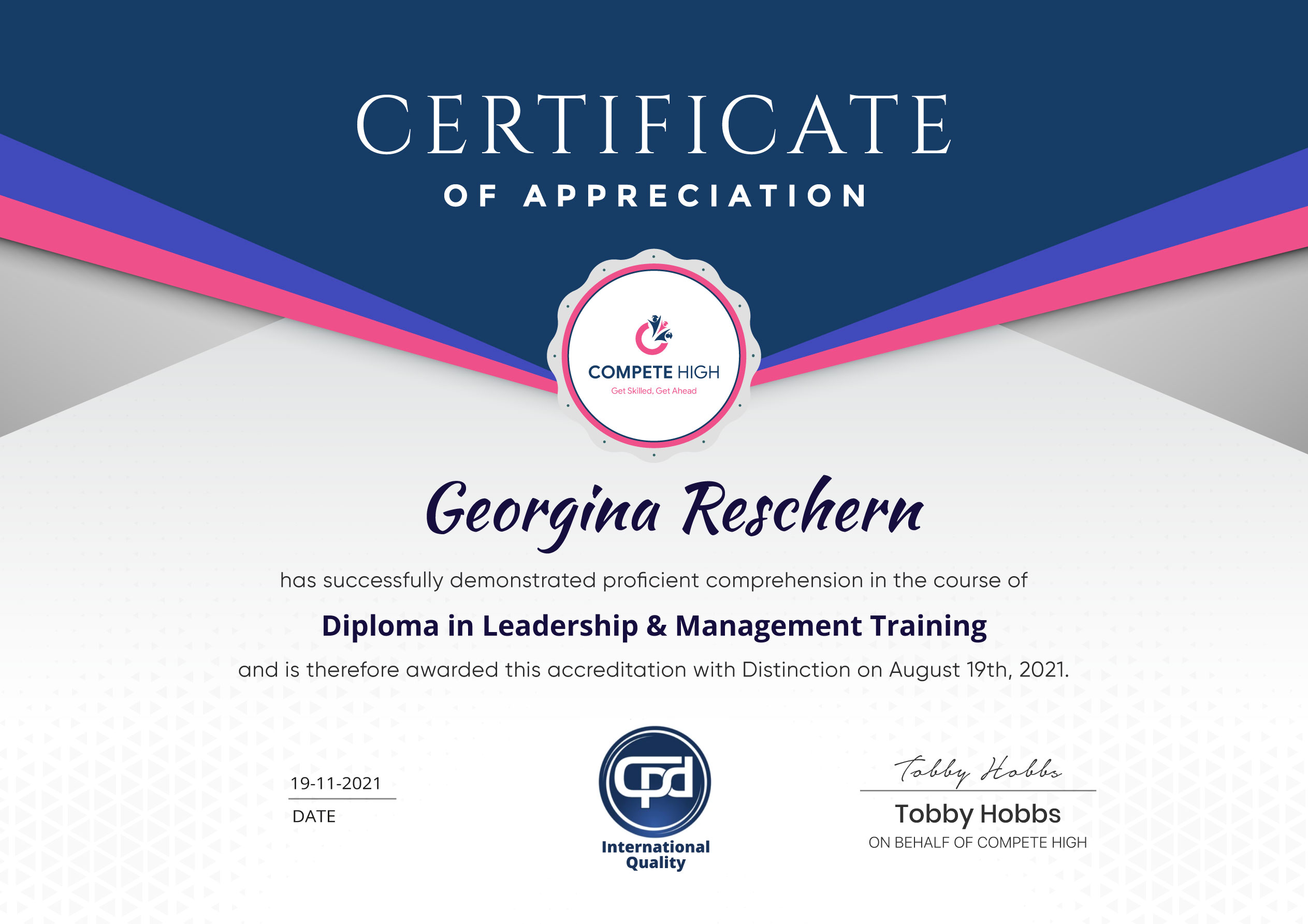
Accredited Certificate Available
Unlimited Access and Retakes
Free Enrollment Letter Included
CPD International Quality Accredited
Meets UK & EU legal requirements
Instant e-certificate and eligibility of ordering hardcopy
Developed by Industry Experts
Learn anytime from anywhere
Use any internet-connected device
24/7 Live Support
Discounts on bulk purchases
Certification
Perfect for showcasing your skills, boosting your career, and enhancing your professional profile.
Choose the format that works best for you:
-
PDF Certificate (£9.99) – Download instantly to add to your portfolio, résumé, LinkedIn, or share on social media.
-
Printed Hard Copy (£29.99) – A beautifully designed certificate delivered to your door, ready to proudly display in your office or home.
-
Both PDF & Printed Hard Copy (£31.99) – Get the best of both worlds!
Course Contents
Course Content
Basic
-
Overview
00:00 -
File Explorer File Menu
00:00 -
File Explorer – File Menu – Part 2
00:00 -
File Explorer Home Menu
00:00 -
File Explorer – Share Menu
00:00 -
File Explorer – View Menu
00:00 -
File Explorer View Menu
00:00 -
File Explorer Search Menu
00:00 -
Managing Your Desktop
00:00 -
Managing Your Display
00:00 -
Managing Cortana – Voice Assist
00:00 -
Quick Assist Settings
00:00 -
Media Streaming Settings
00:00 -
Recording A Screen Video
00:00 -
Recording An Audio
00:00 -
Taking A Snapshot of Your Screen
00:00 -
Recording Your Steps
00:00 -
Capturing Webcam Video
00:00 -
Adding Applications
00:00 -
Conclusion
00:00
Advanced
Student Ratings & Reviews



Excellent
4.78 Average 173 Reviews
The courses are informative, easy to follow, and offer a wide range of topics to choose from.
The staff are incredibly friendly and responsive. I'm looking forward to returning for another course!
Thank you! I truly enjoyed my learning experience and found it to be both enriching and rewarding.
An incredibly straightforward course to follow, offering great insight into the subject. Many thanks.
All the courses are easily accessible, straightforward to understand, and highly informative.





Want to receive push notifications for all major on-site activities?