
Web Markup Essentials for Digital Branding

NEW YEAR SPECIAL! 1500+ COURSES AT ONLY £99 FOR LIFE. FIND OUT MORE
Web Markup Essentials for Digital Branding
Web Markup Essentials for Digital Branding
Build Job-Ready Web Skills Fast and Power Your Digital Brand with Confidence
Overview of Web Markup Essentials for Digital Branding
Web Markup Essentials for Digital Branding is a focused, practical, and career-driven course designed to help you master the foundations of HTML and web markup with one clear goal: making you job-ready fast. In today’s digital-first world, understanding how websites are structured is no longer optional. Whether you want to work in digital marketing, branding, content management, web support, or creative roles, web markup skills are a major advantage.
What makes Web Markup Essentials for Digital Branding different is its short, efficient, and results-oriented design. Unlike long and overwhelming web development programs, this course is intentionally streamlined. You can complete it quickly, earn your certificate incredibly fast, and immediately add a valuable technical skill to your CV.
This course focuses on real-world web markup essentials that directly support digital branding. You’ll learn how websites are built, how content is styled and structured, and how to make simple but powerful edits that enhance brand visibility, user experience, and online credibility.
Description of Web Markup Essentials for Digital Branding
Web Markup Essentials for Digital Branding is a hands-on introduction to HTML and web markup, designed for beginners and career changers who want practical skills without unnecessary complexity. The course takes you step by step through the building blocks of web pages, showing you how to read, write, and edit HTML with confidence.
Instead of focusing on heavy programming theory, Web Markup Essentials for Digital Branding emphasizes how markup supports branding, marketing, and digital presence. You’ll understand why HTML still matters, how it works alongside visual editors, and when manual markup gives you greater control over your brand’s message.
Because the course is shorter than other similar courses, it’s ideal for learners who want to move fast. You’ll gain job-relevant skills in a short time frame, complete the course quickly, and receive a certificate that demonstrates your readiness for entry-level digital roles.
By the end of Web Markup Essentials for Digital Branding, you’ll be comfortable editing web pages, managing content structure, working with links and images, and understanding how markup impacts SEO, accessibility, and brand consistency.
What You’ll Learn in Web Markup Essentials for Digital Branding
The curriculum of Web Markup Essentials for Digital Branding is carefully structured to cover essential web markup skills while keeping learning efficient and practical:
-
Basic & Overview
Understand what web markup is and how it supports digital branding. -
WYSIWYG and Why Use HTML
Learn the difference between visual editors and HTML, and when HTML gives you more control. -
Uses for HTML
Explore how HTML is used in websites, emails, landing pages, and branded content. -
HTML Editing Programs
Discover common tools used to edit HTML professionally. -
Editing From FTP
Learn how real-world web content is accessed and updated on servers. -
Page Extension Names
Understand file types like .html and .htm and when to use them. -
Folder Management
Learn how proper file and folder organization supports branding and usability. -
Above the Page Body
Understand head elements and how they affect titles, branding, and SEO. -
Opening and Closing Tags
Master the core structure of HTML. -
Headers and Titles
Learn how headings structure content and strengthen brand messaging. -
Text Manipulation
Format and control text for clarity, tone, and consistency. -
Color Manipulation
Apply brand colors directly using HTML. -
Hyperlinks
Create effective links that guide users and strengthen brand navigation. -
Images
Add and manage images to enhance visual branding. -
Lists
Use lists to improve readability and user experience. -
Breaks and Paragraphs
Control spacing and layout professionally. -
Alignment
Structure content visually for better presentation. -
Comments
Learn how professionals document and organize code. -
I-Framing
Understand how to embed external content into web pages.
Each topic in Web Markup Essentials for Digital Branding is explained clearly, practically, and with a focus on job-ready application.
Who Is This Course For?
Web Markup Essentials for Digital Branding is perfect for:
-
Beginners with no prior coding experience who want to learn web markup fast
-
Digital marketing and branding professionals who want better control over websites and landing pages
-
Job seekers looking to quickly add a technical skill to their CV
-
Content creators and social media managers who want to understand how web content works behind the scenes
-
Entrepreneurs and small business owners managing their own websites
-
Students and career changers who need a short, certificate-based course to become job-ready
If you want a fast, practical, and career-focused introduction to HTML, Web Markup Essentials for Digital Branding is designed for you.
Why Choose Web Markup Essentials for Digital Branding?
-
Shorter Than Other Courses: Learn only what matters—no wasted time
-
Fast Certificate Completion: Finish quickly and earn your certificate incredibly fast
-
Job-Ready Skills: Gain practical HTML skills employers value
-
Brand-Focused Learning: See how markup supports digital branding and marketing
-
Beginner-Friendly: No prior technical experience required
-
Highly Transferable Skills: Useful across marketing, content, web support, and branding roles
With Web Markup Essentials for Digital Branding, you don’t just learn HTML—you learn how to use it to strengthen digital presence and professional credibility.
FAQ – Web Markup Essentials for Digital Branding
Q: How long does it take to complete Web Markup Essentials for Digital Branding?
A: The course is intentionally short and focused, allowing most learners to complete it quickly and earn their certificate fast.
Q: Do I need prior coding experience?
A: No. Web Markup Essentials for Digital Branding is designed for beginners.
Q: Will I receive a certificate?
A: Yes. After completing the course, you’ll receive a certificate in Web Markup Essentials for Digital Branding.
Q: Can this course help me get a job?
A: Absolutely. The course is designed to make you job-ready, especially for digital marketing, branding, and web support roles.
Q: Is this course only for developers?
A: Not at all. Web Markup Essentials for Digital Branding is ideal for non-developers who want practical web skills.
Q: Can I apply these skills immediately?
A: Yes. Everything taught in Web Markup Essentials for Digital Branding is practical and usable right away.
Extra Included :
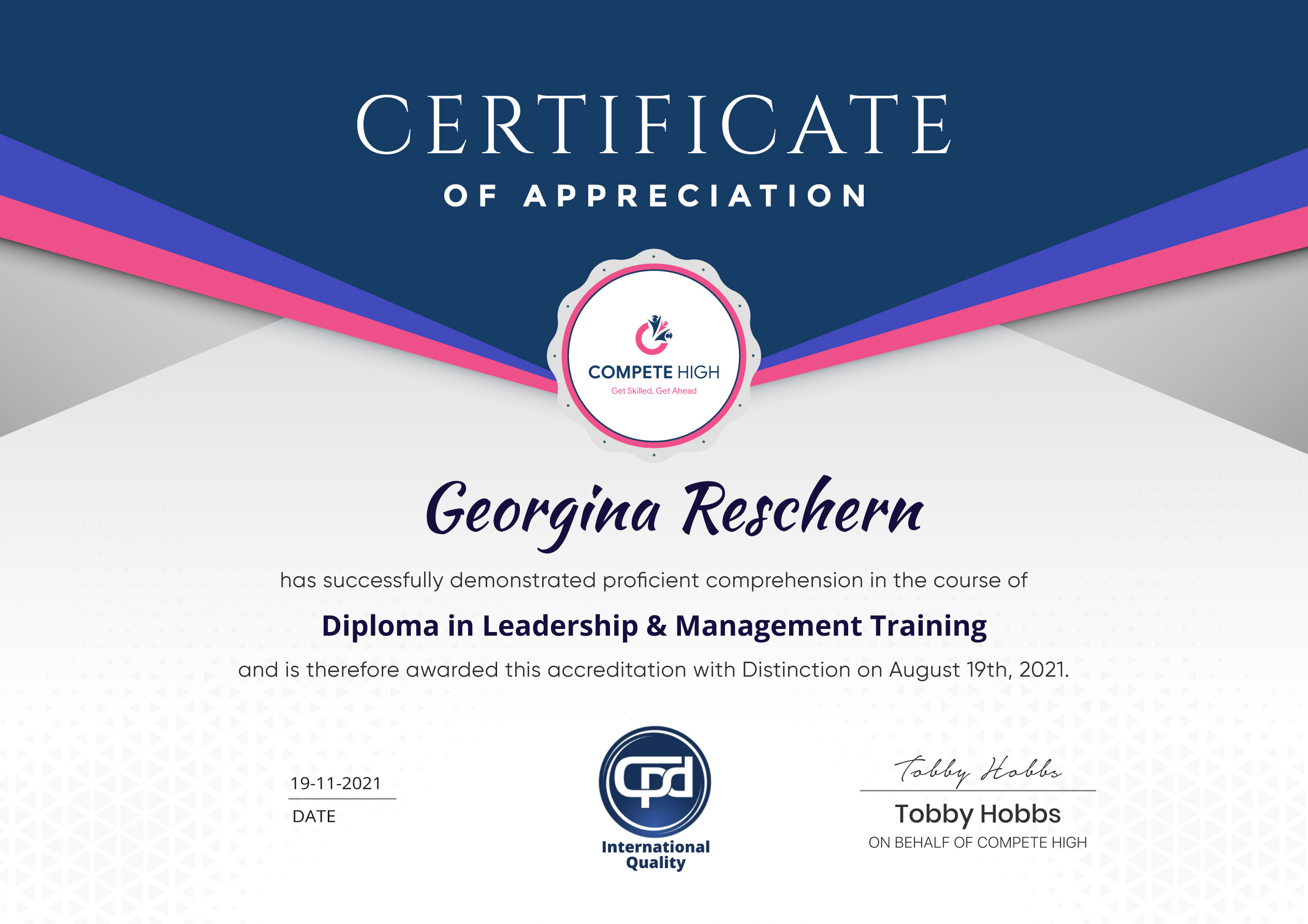
Accredited Certificate Available
Unlimited Access and Retakes
Free Enrollment Letter Included
CPD International Quality Accredited
Meets UK & EU legal requirements
Instant e-certificate and eligibility of ordering hardcopy
Developed by Industry Experts
Learn anytime from anywhere
Use any internet-connected device
24/7 Live Support
Discounts on bulk purchases
Certification
Perfect for showcasing your skills, boosting your career, and enhancing your professional profile.
Choose the format that works best for you:
-
PDF Certificate (£9.99) – Download instantly to add to your portfolio, résumé, LinkedIn, or share on social media.
-
Printed Hard Copy (£29.99) – A beautifully designed certificate delivered to your door, ready to proudly display in your office or home.
-
Both PDF & Printed Hard Copy (£31.99) – Get the best of both worlds!
Course Contents
Course Content
Basic
-
Overview
00:00 -
Wysiwyg and Why Use HTML
00:00 -
Uses for HTML
00:00 -
HTML Editing Programs
00:00 -
Editing From FTP
00:00 -
Page Extension Names
00:00 -
Folder Management
00:00 -
Above the Page Body
00:00 -
Opening and Closing Tags
00:00 -
Headers and Titles
00:00 -
Text Manipulation
00:00 -
Color Manipulation
00:00 -
Hyperlinks
00:00 -
Images
00:00 -
Lists
00:00 -
Breaks and Paragraphs
00:00 -
Alignment
00:00 -
Comments
00:00 -
I-Framing
00:00 -
Conclusion
00:00
Advanced
Student Ratings & Reviews




Excellent
4.78 Average 173 Reviews
The courses are informative, easy to follow, and offer a wide range of topics to choose from.
The staff are incredibly friendly and responsive. I'm looking forward to returning for another course!
Thank you! I truly enjoyed my learning experience and found it to be both enriching and rewarding.
An incredibly straightforward course to follow, offering great insight into the subject. Many thanks.
All the courses are easily accessible, straightforward to understand, and highly informative.





Want to receive push notifications for all major on-site activities?