
Survey Solutions: Unveiling Insights with SurveyMonkey

SPRING SUPER SALE! 1500+ COURSES AT ONLY £99 FOR LIFE. FIND OUT MORE
Survey Solutions: Unveiling Insights with SurveyMonkey
Survey Solutions: Unveiling Insights with SurveyMonkey is a focused, results-driven course designed to teach learners how to create, manage, and analyze surveys efficiently using SurveyMonkey. This course is shorter than typical survey or market research programs, allowing participants to gain practical skills, implement surveys, and receive a certificate quickly.
The course emphasizes actionable strategies for building professional surveys, collecting meaningful responses, and deriving insights that inform decision-making. By the end of the course, learners will not only be proficient in SurveyMonkey tools but also ready to apply these skills in professional, academic, or entrepreneurial settings.
Description
In today’s data-driven world, understanding your audience is crucial. Survey Solutions: Unveiling Insights with SurveyMonkey equips learners with the skills to design surveys that gather reliable insights, measure opinions, and support informed decisions.
The course begins by introducing learners to SurveyMonkey’s interface, pricing plans, and account setup. From there, participants learn how to leverage templates or create surveys from scratch, using the platform’s question bank, formatting tools, and survey designer. Learners will explore how to build multiple question types—from multiple choice to rating scales, ranking, image choice, comment boxes, and multi-text fields.
Advanced topics include creating introductory pages, additional survey pages, and page breaks for a smooth respondent experience. The course also covers survey options, formatting techniques, and previewing surveys before launch to ensure professional quality.
Participants will learn effective strategies for distributing surveys, collecting responses, and using SurveyMonkey’s analytics to derive actionable insights. With practical guidance on response analysis, learners can generate reports, visualize data, and communicate findings confidently.
What sets Survey Solutions: Unveiling Insights with SurveyMonkey apart is its compact, hands-on approach. While other courses may take months to complete, this program is designed for efficiency—allowing learners to complete it fast, gain certification, and be job-ready or project-ready immediately.
This course is ideal for professionals in marketing, research, human resources, or any field where understanding client, employee, or consumer behavior is essential. It is also perfect for entrepreneurs, students, and freelancers looking to expand their skill set and increase employability.
Who Is This Course For?
Survey Solutions: Unveiling Insights with SurveyMonkey is designed for:
-
Marketing professionals seeking insights to improve campaigns
-
Business owners and entrepreneurs analyzing customer preferences
-
HR managers and team leaders conducting internal surveys
-
Researchers and data analysts looking to streamline survey processes
-
Students and freelancers wanting to enhance their data collection skills
-
Anyone aiming to become job-ready in roles requiring survey expertise
No prior experience with SurveyMonkey or survey creation is required. The course provides step-by-step instructions to guide beginners while offering tips and techniques valuable to intermediate users.
FAQ
How long does the course take?
This course is shorter than most survey and market research programs, allowing learners to complete it quickly and start applying their skills immediately.
Will I get a certificate?
Yes. Upon completion, learners receive a certificate that demonstrates proficiency in survey creation, management, and analysis using SurveyMonkey.
Do I need prior survey experience?
No. The course is suitable for beginners while also providing insights for those with some experience in survey design or analysis.
Can I use these skills professionally?
Absolutely. The course is designed to make learners job-ready, allowing them to conduct surveys, analyze results, and present insights in a professional context.
Does the course include practical exercises?
Yes. Learners will work on building surveys, using question types, formatting, collecting responses, and analyzing results using SurveyMonkey.
Conclusion
Survey Solutions: Unveiling Insights with SurveyMonkey is the perfect program for anyone looking to master survey creation and analysis quickly. Its shorter duration, hands-on approach, and focus on actionable insights make it ideal for learners who want to become job-ready or immediately apply survey skills in real-world scenarios.
By completing this course, participants gain the tools, strategies, and certification needed to design effective surveys, analyze responses, and make data-driven decisions with confidence. Survey Solutions: Unveiling Insights with SurveyMonkey is more than a learning program—it’s a fast track to professional competency in survey management and data analysis.
Extra Included :
Accredited Certificate Available
Unlimited Access and Retakes
Free Enrollment Letter Included
CPD International Quality Accredited
Meets UK & EU legal requirements
Instant e-certificate and eligibility of ordering hardcopy
Developed by Industry Experts
Learn anytime from anywhere
Use any internet-connected device
24/7 Live Support
Discounts on bulk purchases
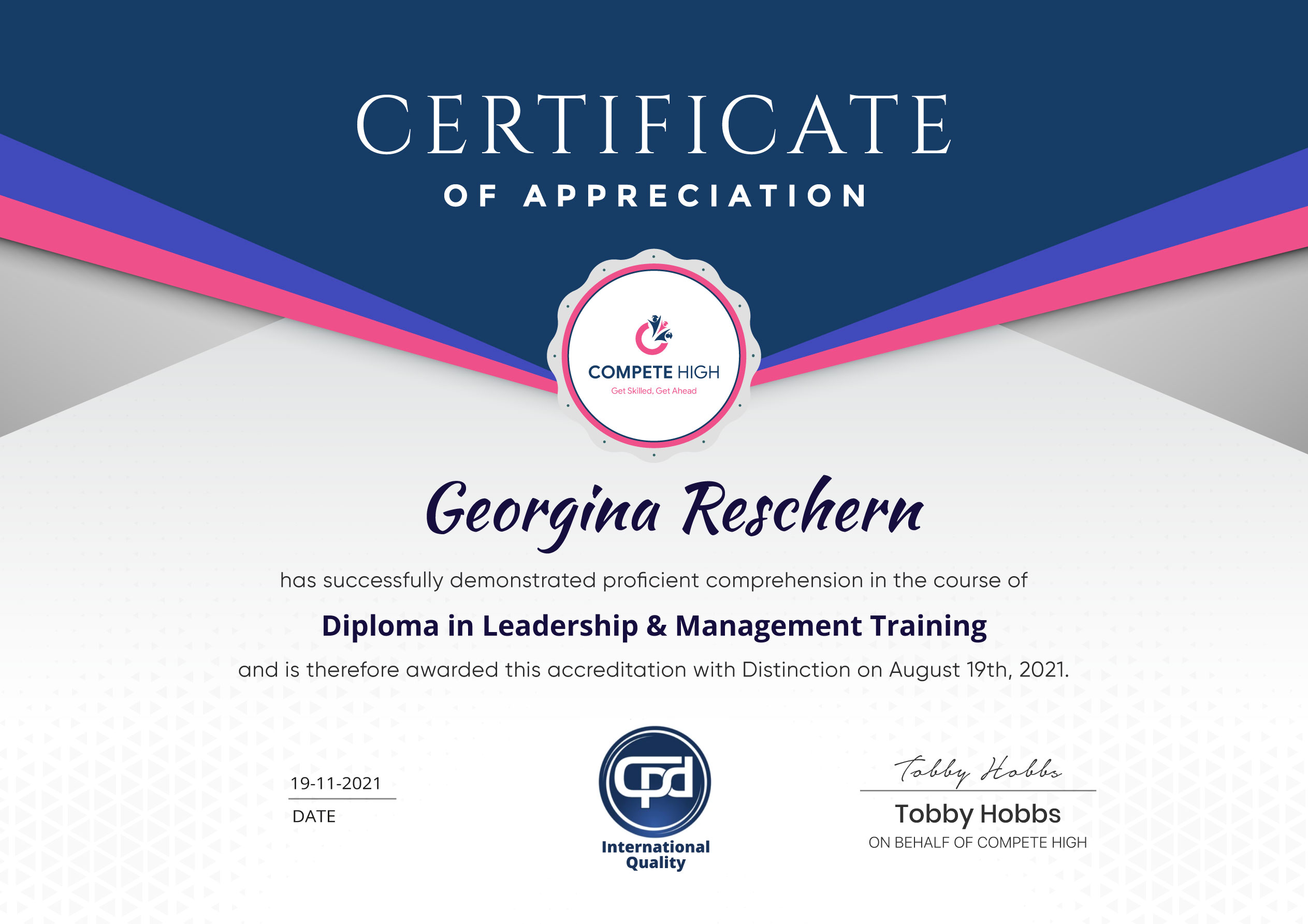
Certification
Perfect for showcasing your skills, boosting your career, and enhancing your professional profile.
Choose the format that works best for you:
-
PDF Certificate (£9.99) – Download instantly to add to your portfolio, résumé, LinkedIn, or share on social media.
-
Printed Hard Copy (£29.99) – A beautifully designed certificate delivered to your door, ready to proudly display in your office or home.
-
Both PDF & Printed Hard Copy (£31.99) – Get the best of both worlds!
Course Contents
Course Content
Basic
-
Overview
01:08 -
Pricing and Account Opening
02:04 -
Referral Program
00:00 -
Survey Templates
00:00 -
Creating Surveys From Scratch
00:00 -
Using the Question Bank
00:00 -
Creating An Introductory Page
00:00 -
Creating Additional Survey Pages
00:00 -
Creating Page Breaks
00:00 -
Question Builder – Multiple Choice to Rating Scale
00:00 -
Question Builder – Ranking To Image Choice
00:00 -
Question Builder – Comment Box To Multiple Textboxes
00:00 -
Using The Question Builder
00:00 -
Using the Survey Designer
00:00 -
Using the Survey Options
00:00 -
Survey Formatting
00:00 -
Survey Preview
00:00 -
Response Collection
00:00 -
Results Analysis
00:00 -
Conclusion
00:00
Advanced
Student Ratings & Reviews



Excellent
4.78 Average 173 Reviews
The courses are informative, easy to follow, and offer a wide range of topics to choose from.
The staff are incredibly friendly and responsive. I'm looking forward to returning for another course!
Thank you! I truly enjoyed my learning experience and found it to be both enriching and rewarding.
An incredibly straightforward course to follow, offering great insight into the subject. Many thanks.
All the courses are easily accessible, straightforward to understand, and highly informative.





Want to receive push notifications for all major on-site activities?