
Dynamic Color Transitions: Mastering After Effects

NEW YEAR SPECIAL! 1500+ COURSES AT ONLY £59 FOR LIFE. FIND OUT MORE
Dynamic Color Transitions: Mastering After Effects
In today’s visual-driven digital world, the ability to create stunning motion graphics is a highly valued skill. Dynamic Color Transitions: Mastering After Effects is a concise, practical course designed to teach learners how to craft eye-catching color transitions using Adobe After Effects. Unlike longer programs, this course is intentionally short, allowing participants to complete it quickly and earn a certificate incredibly fast.
Whether you are a graphic designer, video editor, animator, or aspiring content creator, Dynamic Color Transitions: Mastering After Effects provides actionable skills to elevate your projects, create professional-quality animations, and stand out in the competitive creative industry. By mastering dynamic color transitions, learners gain expertise that enhances portfolios, improves career prospects, and makes them job-ready.
Description
Dynamic Color Transitions: Mastering After Effects focuses on practical techniques for creating visually engaging gradient and color animations. The course combines theory, workflow strategies, and hands-on exercises to ensure learners can produce professional animations efficiently.
The curriculum is structured to deliver clarity, practical skills, and rapid application:
-
Module 1: Create Modern Gradient Animation – Learn the foundational skills for creating smooth, modern gradient animations that are visually compelling and suitable for professional projects.
-
Module 2: After Effects Introduction – Get an overview of Adobe After Effects, including its interface, essential tools, and workflow, ensuring beginners and intermediate users are equipped to follow along effectively.
-
Module 3: Color Schemes With Adobe – Understand the principles of color theory and explore how to select harmonious color schemes that enhance visual impact.
-
Module 4: Using Color Schemes – Apply selected color schemes in your compositions to ensure professional and aesthetically pleasing results.
-
Module 5: Using Shapes To Create Gradients – Learn how to combine shapes and gradients to craft dynamic visual effects that enhance motion graphics projects.
-
Module 6: Create A Gradient Composition – Build complete gradient compositions, integrating color, shape, and motion to create cohesive and professional animations.
-
Module 7: Animate Gradient Design – Master the techniques to animate your gradient compositions smoothly, adding fluidity and energy to your projects for maximum visual impact.
By completing Dynamic Color Transitions: Mastering After Effects, learners acquire skills that allow them to produce high-quality animations, enhance digital content, and communicate visually with creativity and precision. The course is short, practical, and designed for individuals seeking fast results and a certificate to showcase expertise.
Who Is This Course For
Dynamic Color Transitions: Mastering After Effects is ideal for anyone looking to strengthen their motion graphics skills, enhance digital content, or become job-ready in creative fields, including:
-
Graphic Designers and Motion Designers – Elevate your portfolio with professional gradient and color animations.
-
Video Editors and Content Creators – Learn to add dynamic visual effects that captivate audiences and improve project quality.
-
Job Seekers in Creative Industries – Gain practical After Effects skills that increase employability and career readiness.
-
Students and Young Professionals – Acquire industry-relevant skills in a short time, helping you stand out in creative job markets.
-
Freelancers and Digital Entrepreneurs – Learn to deliver professional-quality animations quickly, adding value to client projects.
No prior advanced knowledge of After Effects is required. Dynamic Color Transitions: Mastering After Effects is accessible, practical, and designed to help learners become creative professionals, visually confident, and job-ready in a short period.
FAQ
Q: How long does it take to complete the course?
A: This course is shorter than most motion graphics programs. Most learners complete Dynamic Color Transitions: Mastering After Effects in just a few days and receive their certificate immediately.
Q: Is this course suitable for beginners?
A: Yes. The course is beginner-friendly, providing step-by-step guidance while also enhancing the skills of intermediate users who want to specialize in color transitions.
Q: How does this course support job readiness?
A: Employers and clients value professionals who can create visually appealing, technically sound animations. Completing Dynamic Color Transitions: Mastering After Effects demonstrates practical, portfolio-ready skills that improve career and freelance opportunities.
Q: Will I receive a certificate after completion?
A: Yes. Learners receive a certificate upon completion, which can be added to resumes, portfolios, or professional profiles to highlight expertise in motion graphics.
Q: Can I complete the course at my own pace?
A: Absolutely. The course is self-paced, allowing learners to progress quickly or study around their schedule while benefiting from rapid certification.
Q: What makes this course different from other After Effects programs?
A: Unlike lengthy programs, Dynamic Color Transitions: Mastering After Effects is concise, practical, and career-focused. It delivers essential skills efficiently, helping learners create professional-quality animations and become job-ready without unnecessary complexity.
Extra Included :
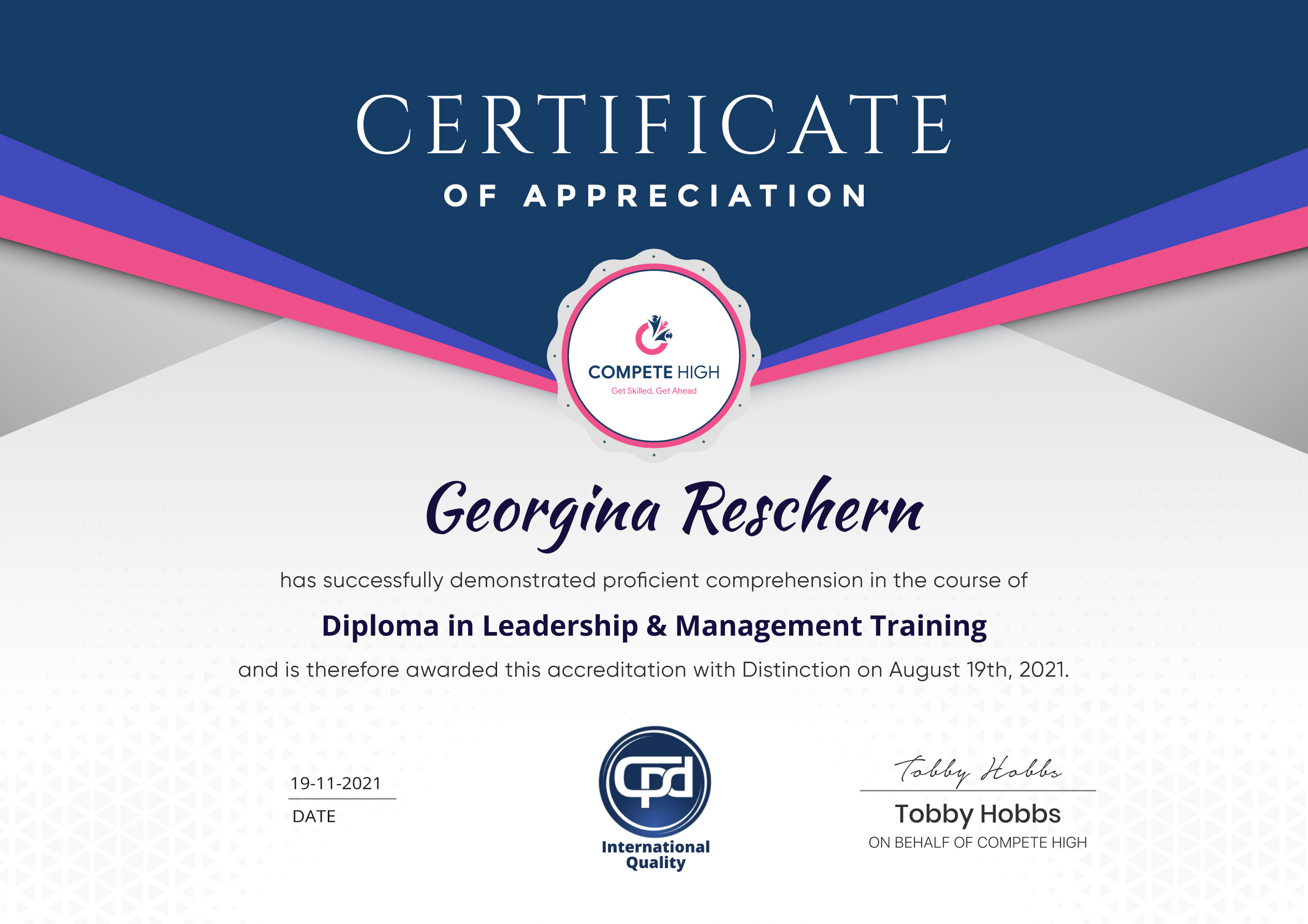
Accredited Certificate Available
Unlimited Access and Retakes
Free Enrollment Letter Included
CPD International Quality Accredited
Meets UK & EU legal requirements
Instant e-certificate and eligibility of ordering hardcopy
Developed by Industry Experts
Learn anytime from anywhere
Use any internet-connected device
24/7 Live Support
Discounts on bulk purchases
Certification
Perfect for showcasing your skills, boosting your career, and enhancing your professional profile.
Choose the format that works best for you:
-
PDF Certificate (£9.99) – Download instantly to add to your portfolio, résumé, LinkedIn, or share on social media.
-
Printed Hard Copy (£29.99) – A beautifully designed certificate delivered to your door, ready to proudly display in your office or home.
-
Both PDF & Printed Hard Copy (£31.99) – Get the best of both worlds!
Course Contents
Course Content
Module 1: Create Modern Gradient Animation
-
Create Modern Gradient Animation
00:00
Module 2: After Effects Introduction
Module 3: Color Schemes With Adobe
Module 4: Using Color Schemes
Module 5: Using Shapes To Create Gradients
Module 6: Create A Gradient Composition
Module 7: Animate Gradient Design
Student Ratings & Reviews




Excellent
4.78 Average 173 Reviews
The courses are informative, easy to follow, and offer a wide range of topics to choose from.
The staff are incredibly friendly and responsive. I'm looking forward to returning for another course!
Thank you! I truly enjoyed my learning experience and found it to be both enriching and rewarding.
An incredibly straightforward course to follow, offering great insight into the subject. Many thanks.
All the courses are easily accessible, straightforward to understand, and highly informative.






Want to receive push notifications for all major on-site activities?