
Digital Advertising with Microsoft: A Comprehensive Guide

NEW YEAR SPECIAL! 1500+ COURSES AT ONLY £99 FOR LIFE. FIND OUT MORE
Digital Advertising with Microsoft: A Comprehensive Guide
Digital Advertising with Microsoft
Fast-Track Your Career in Online Advertising
Overview of Digital Advertising with Microsoft
The Digital Advertising with Microsoft course is a high-impact, practical program designed for anyone looking to master Microsoft Ads quickly and efficiently. This course is perfect for individuals who want to gain job-ready digital marketing skills, learn how to run effective ad campaigns, and earn a professional certificate fast.
Unlike lengthy digital advertising programs, Digital Advertising with Microsoft is short, focused, and action-oriented, allowing learners to complete the course quickly while acquiring essential skills that employers value. Whether you are starting a career in digital marketing or looking to boost your freelance or business advertising capabilities, this course equips you with practical tools and strategies for real-world success.
Course Description
The Digital Advertising with Microsoft course provides learners with comprehensive, hands-on training in Microsoft Ads, the platform used by businesses worldwide to reach audiences, drive traffic, and generate sales.
In this course, you will learn:
-
How to navigate the Microsoft Ads dashboard efficiently and confidently.
-
How to set up, manage, and optimize ad campaigns for maximum ROI.
-
Techniques for adjusting ad bids, budgets, and campaign settings to improve performance.
-
How to spy on competitors and understand industry trends for strategic advantage.
-
How to use ad extensions effectively to enhance campaign visibility and engagement.
-
How to create reports and analyze campaign performance to make data-driven decisions.
The course is structured to fast-track learners, making it shorter than traditional courses while still delivering in-depth, job-ready knowledge. By the end of the program, learners will have the confidence and skills to manage real-world Microsoft Ads campaigns professionally.
Course Curriculum
The Digital Advertising with Microsoft course is divided into practical modules to ensure step-by-step mastery:
Module 1 — Microsoft Ads Dashboard
Get introduced to the Microsoft Ads platform and learn how to navigate the dashboard, understand menus, and access critical tools for campaign management.
Module 2 — Campaign Home Overview
Understand the structure of Microsoft ad campaigns, including how to organize campaigns, ad groups, and ads for optimal performance.
Module 3 — How to Edit Campaign Name and Change Campaign Budget
Learn how to make adjustments to campaigns efficiently, including renaming campaigns and managing budgets for better financial control.
Module 4 — Ad Campaigns
Dive into the creation and management of ad campaigns, learning strategies for targeting audiences, writing compelling ads, and maximizing reach.
Module 5 — Ad Bids & Optimization
Explore bidding strategies, cost-per-click optimization, and methods to improve ad performance while minimizing expenditure.
Module 6 — Spy on Your Competitors
Learn how to analyze competitor campaigns and leverage insights to create better-performing ads and improve your competitive advantage.
Module 7 — Set Your Budget & Automate Extensions
Understand budget allocation strategies and automation tools for ad extensions to save time and increase campaign efficiency.
Module 8 — Ad Extension Overview & How-Tos #1
Learn about different types of ad extensions, their purposes, and how to implement them to enhance visibility and engagement.
Module 9 — How to Add Different Types of Extensions
Step-by-step guidance on adding various extensions, including callouts, sitelinks, structured snippets, and more, to make your ads more clickable.
Module 10 — Microsoft Ad Editor
Get hands-on experience with Microsoft Ad Editor to create, edit, and manage campaigns efficiently offline before publishing online.
Module 11 — Reports
Learn how to generate and interpret reports to measure campaign performance, identify opportunities, and make data-driven improvements.
Who Is This Course For
The Digital Advertising with Microsoft course is ideal for:
-
Aspiring Digital Marketers: Gain practical skills to launch your career in online advertising.
-
Business Owners and Entrepreneurs: Learn to run Microsoft Ads campaigns to increase brand visibility, drive traffic, and generate sales.
-
Freelancers and Marketing Consultants: Acquire knowledge to manage client campaigns professionally and expand service offerings.
-
Students and Career Changers: Gain job-ready skills quickly and add a recognized certificate to your resume.
-
Marketing Professionals: Enhance existing marketing knowledge with Microsoft Ads expertise to improve performance in digital campaigns.
Because this course is shorter than traditional digital marketing programs, learners can complete it quickly and enter the job market with confidence.
FAQ — Digital Advertising with Microsoft
Q: How long does the course take to complete?
A: The course is fast-track and highly focused, designed to be completed quickly so you can earn your certificate and apply your skills immediately.
Q: Do I get a certificate?
A: Yes! You will receive a professional certificate in Digital Advertising with Microsoft upon completion, demonstrating your ability to manage and optimize ad campaigns.
Q: Is prior experience in digital marketing required?
A: No. This course is suitable for beginners and professionals alike. All the essentials are covered in a practical, easy-to-follow format.
Q: Can I use the skills learned for freelance work or my own business?
A: Absolutely. This course provides real-world skills you can use to manage campaigns for clients or grow your own business.
Q: Does the course cover both ad creation and reporting?
A: Yes. You will learn how to set up campaigns, optimize bids, create extensions, and analyze performance through reports.
Q: Can I complete the course online?
A: Yes, this is a fully online course that you can complete at your own pace.
Why Choose Digital Advertising with Microsoft?
-
Fast-Track Learning: Complete the course in a fraction of the time compared to traditional programs.
-
Job-Ready Skills: Acquire practical knowledge that is directly applicable to real-world campaigns.
-
Professional Certificate: Boost your resume with a recognized credential in digital advertising.
-
Practical and Action-Oriented: Learn strategies and tools that you can apply immediately.
-
Career Growth Opportunities: Open doors to roles in digital marketing, advertising, and business development.
The Digital Advertising with Microsoft course is the ultimate choice for anyone looking to learn digital advertising quickly, get certified fast, and become job-ready.
Start your journey today to master Microsoft Ads, drive measurable results, and accelerate your career in digital marketing.
Extra Included :
Accredited Certificate Available
Unlimited Access and Retakes
Free Enrollment Letter Included
CPD International Quality Accredited
Meets UK & EU legal requirements
Instant e-certificate and eligibility of ordering hardcopy
Developed by Industry Experts
Learn anytime from anywhere
Use any internet-connected device
24/7 Live Support
Discounts on bulk purchases
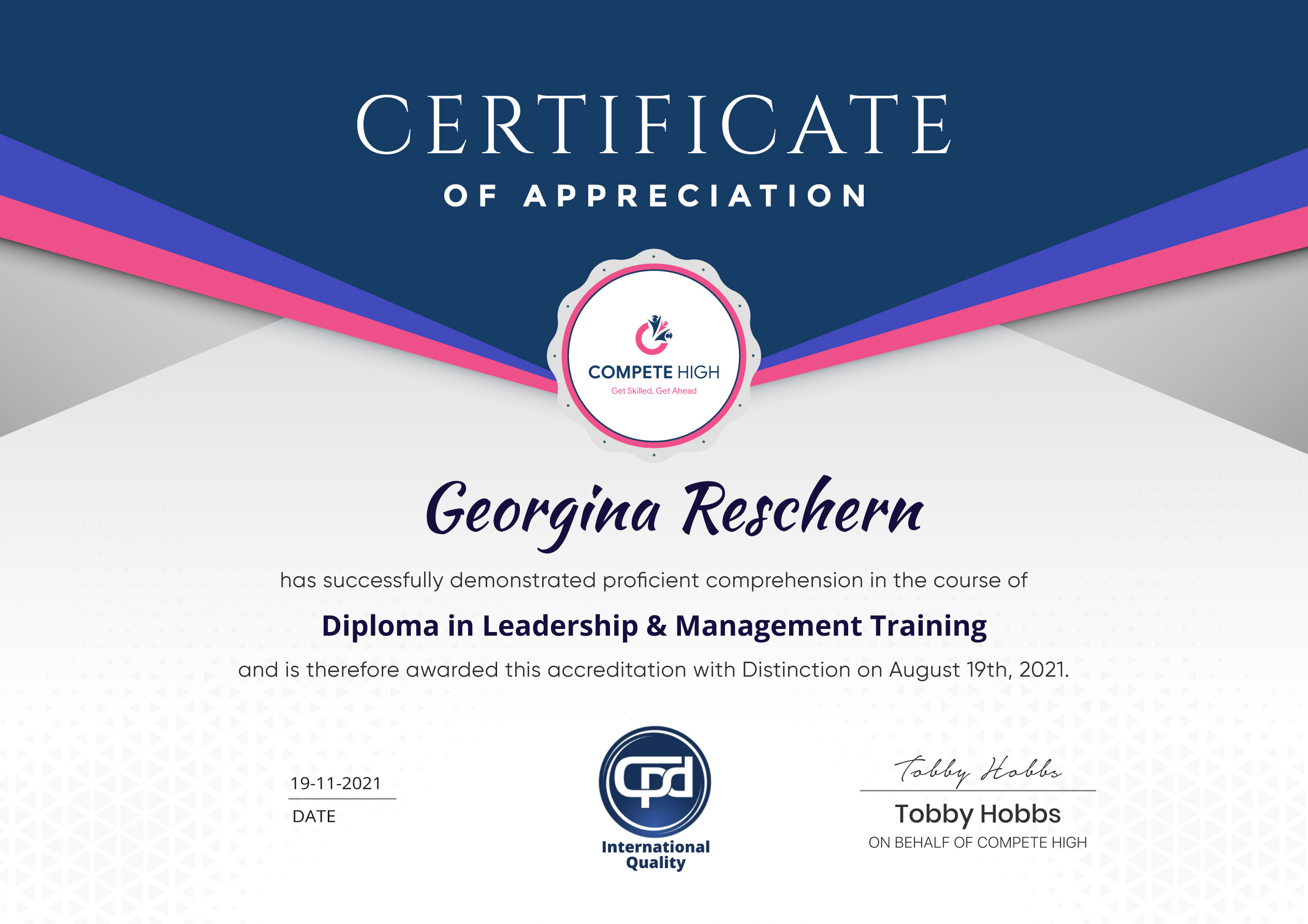
Certification
Perfect for showcasing your skills, boosting your career, and enhancing your professional profile.
Choose the format that works best for you:
-
PDF Certificate (£9.99) – Download instantly to add to your portfolio, résumé, LinkedIn, or share on social media.
-
Printed Hard Copy (£29.99) – A beautifully designed certificate delivered to your door, ready to proudly display in your office or home.
-
Both PDF & Printed Hard Copy (£31.99) – Get the best of both worlds!
Course Contents
Course Content
Digital Advertising with Microsoft: A Comprehensive Guide
-
Microsoft Ads dashboard
00:00 -
Campaign home overview
00:00 -
How to edit campaign name and change campaign budget
00:00 -
Ad Campaigns
00:00 -
Ad Bids & Optimization
00:00 -
Spy on Your Competitors
00:00 -
Set Your Budget & Automate Extensions
00:00 -
Ad Extension Overview & How Tos #1
00:00 -
How To Add Different Types of Extensions
00:00 -
Microsoft Ad Editor
00:00 -
Reports
00:00
Student Ratings & Reviews


Excellent
4.78 Average 173 Reviews
The courses are informative, easy to follow, and offer a wide range of topics to choose from.
The staff are incredibly friendly and responsive. I'm looking forward to returning for another course!
Thank you! I truly enjoyed my learning experience and found it to be both enriching and rewarding.
An incredibly straightforward course to follow, offering great insight into the subject. Many thanks.
All the courses are easily accessible, straightforward to understand, and highly informative.

Want to receive push notifications for all major on-site activities?